application delivery
40313 TopicsFinding the Primary Replica of an Availability Group
Hi All, I've configured VIPs and a WIP for a SQL Always On service and would like to ensure traffic is directed to the current Primary Replica wherever possible. The configuration is as follows: DC1 hosts a SQL server and a corresponding VIP. DC2 hosts a SQL server and a corresponding VIP. The WIP currently directs traffic to the DC1 VIP using Global Availability, with a fallback to Round Robin if required. Does anyone know of a way for the F5 infrastructure to identify which SQL Always On replica is currently the Primary Replica and automatically direct clients to the associated VIP across the two data centres? Any advice or experience with this would be greatly appreciated. Thanks in advance.47Views0likes2Comments
Per ip connection limit on virtual server
i want to apply per ip connection limit on a virtual server . i have AFM provisioned on the F5 . the requirement is that, example - any client IP address can open TOTAL max of 50 connections . meaning per ip connection limit on 50. How can i achieve this . Thanks20Views0likes2Comments
Beginner in F5 ASM
Hi All, I hope you are doing well. I am currently learning about F5 ASM to add one more technical skill to my skill set. I already have good experience with firewalls (Palo Alto and Check Point) As F5 ASM is not deployed in our environment and we use a different vendor WAF (Imperva) I wanted to know what the normal procedure is to onboard a web application on F5 in production. Which policy template do you choose (Rapid deployment, comprehensive, fundamental) Also, what is the best practice for policy building in learning mode? How are signatures enforced? After 7 days learning period, do you enforce all staging signatures learned or do some manual checks as well?78Views0likes1Comment
ServiceNow discovery and service mapping
Our organization is switching to ServiceNow, as part of the implementation of it the project team wants to be able to discover the F5 BIG-IPs and service mappings. We were able to get the devices discovered after some trial and error with the device certificates. We are now getting stuck on service mapping portion. My understanding is that they are using F5 Rest pattern. Documentation that we were provided is the following: https://www.servicenow.com/docs/r/it-operations-management/itom-visibility/c_LoadBalancerF5BIGIP.html When they try to perform the service mapping discovery portion they get a 401 authentication error on the SNOW discovery tool. We are running BIG-IP 17.1.3.4. Curious if anyone has struggled with the Service mapping portion and if so if you can share your experience/workarounds so we can at least get going in the right direction.83Views0likes2Comments
F5 gtm last resort pool DNS Record problem
Hello, Big Ip v 17.1.X I've found that when there is a GTM last Resort DNS Respone, and the DNS clients asks to a Microsoft DNS Server, Microsoft DNS server gives a NXDOMAIN response ( once every 3 ) . If the DNS Client always asks directly to F5 DNS there is no problem. I'm trying to figure out why. Graziano239Views0likes4CommentsF5OS rSeries Radius with Cisco ISE
We are going through a hardware refresh and starting to deploy fSeries appliances. I am having issues with Radius authentication with our Cisco ISE deployment. Our current LTM's authenticates to the same ISE deployment and has the AV attributes for LTM applied. I have created the following new dictionary entries and assigned them the authorization policy: F5-F5OS-GID = 9000 F5-F5OS-HOMEDIR = /tmp F5-F5OS-UID = 1001 If I login to the F5 via the admin creds I can see that my radius authentication was successful and I can see the at the AV Pair is being presented via ISE logs. When trying to login via a browser and a radius user I get a Permission denied response. Any assistance would be appreciated: Thanks, JoeSolved138Views0likes3Comments
insert HTTP header according to a value received in Radius accounting
Hi, I'd like to know if the following is somehow achievable: I want that from Every Radius Accounting message (UDP 1813) the BIGIP will look for 3 attributes: Calling-Station-Id, Framed-IP-Address & Acct-Status-Type In case the Radius attribute Acct-Status-Type=1 (Start) the BIGIP will insert an entry to a table in which the key will be the Framed-IP-Address and the value will be the Calling-Station-Id. In case the Radius attribute Acct-Status-Type=2 (Stop) the BIGIP will remove the value of an entry in the same table (remove the value which is the calling-station-id assigned to the framed-ip-address) Then when HTTP transaction arrive from a client IP which appears as a key in the table, the BIGIP will insert the value assigned to that key in the table (i.e. the corresponding Calling-Station-Id) to an HTTP header called "MSISDN". Example: Radius accounting arrives with following attributes: Acct-Status-Type=1 Calling-Station-Id=123456789 Framed-IP-Address=1.1.1.1 An entry is inserted to a table 1.1.1.1 (key) -> 123456789 (value) HTTP request arrives from source IP 1.1.1.1 The F5 will insert a header "MSISDN: 123456789" to the HTTP request before forwarding. Radius accounting arrives with following attributes: Acct-Status-Type=2 Calling-Station-Id=123456789 Framed-IP-Address=1.1.1.1 The value is removed 1.1.1.1 (key) -> (empty) HTTP request arrives from source IP 1.1.1.1 The F5 will not insert a header (not "MSISDN: 123456789" and not "MSISDN: ") Hope it's clear. Thanks in advance, Yaniv819Views0likes11Comments
An Irule for Client Ssl Profile that Allows Unassigned TLS Extension Values (17516)
Hello Community, I have a requirement to allow enriched https header enrichment. The SSL negotiation (I'm doing ssl termination on F5) fails because the enriched header from client contains reserved tls extension values. (https://www.iana.org/assignments/tls-extensiontype-values/tls-extensiontype-values.xhtmltls-extensiontype-values-1). The Client Hello request in the SSL Handshake was captured and contained an Extensions list, which included a reserved TLS Extension value (17156), which the F5 isn't presenting in Server Hello. I need an irule that can allow that Extension to be added on the client ssl profile so the ssl handshake doesn't fail.3.5KViews0likes28CommentsF5 Insight - SSLO Integration
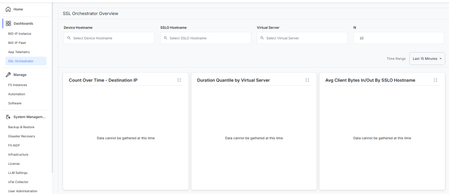
Could you please advise how this section is supposed to be integrated? We have already integrated our SSLO device, but nothing is displayed in this section. If there is any documentation or knowledge base article describing the integration process, we would appreciate it if you could share it with us.92Views0likes1Commentrestore the BIG-IP to its previous state (where server.csr displays No CSR) without impact
Hello, I made same mistake and filled in the CSR file (server.csr) under: System > Certificate Management > Device Certificate Management > Device Certificate Signing Request Before this change, the server.csr entry already existed in the GUI and its status was: No Certificate Signing Request After I filled in the CSR parameters, I would like to restore the BIG-IP to its previous state, where server.csr appears with the message: No Certificate Signing Request I would like to remove the CSR information safely without impacting the existing configuration. I performed the following checks: tmsh list sys crypto csr tmsh list sys crypto csr one-line tmsh list sys crypto csr server.csr None of the above commands return any output. I also found that the file exists only at: /config/ssl/ssl.csr/server.csr Furthermore, searching for server.csr under /config did not show any reference to it in the BIG-IP configuration files. If not, what would be the recommended and safest procedure to remove the CSR information and restore the BIG-IP to its previous state (where server.csr displays No Certificate Signing Request) without impacting the current Device , i want to remove it from cli using this command: rm /config/ssl/ssl.csr/server.csr Thank you in advance77Views0likes1Comment