Forum Discussion

 Altostratus
How to disable weak cipher from Client SSL Profile
 Oct 03, 2018
By using DEFAULT:@STRENGTH command you can preferred the ciphers to use only Strength.

 Altocumulus
Hi Sriram,
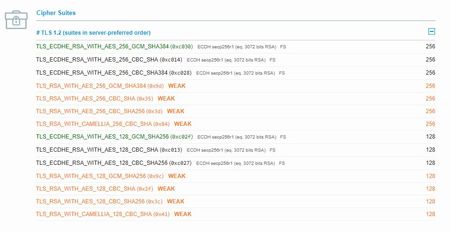
Your can disable weak ciphers by putting following cipher string in clientssl_profile Local Traffic ›› Profiles : SSL : Client >> Ciphers (Cipher String) DEFAULT:!RSA:!DES:!3DES:!DHE
Also have a look at below KB articles: For 11.x - https://support.f5.com/csp/article/K13171 For 12.x - https://support.f5.com/csp/article/K13170
Regards, Kaustubh
AltocumulusOk, thanks for update Sriram. Good to know that you got the solution.
Help guide the future of your DevCentral Community!
What tools do you use to collaborate? (1min - anonymous)

Recent Discussions
Related Content
* Getting Started on DevCentral
* Community Guidelines
* Community Terms of Use / EULA
* Community Ranking Explained
* Community Resources
* Contact the DevCentral Team
* Update MFA on account.f5.com