Forum Discussion

 Nimbostratus
Vlan Configuration
 Nimbostratus
Hi Osama,
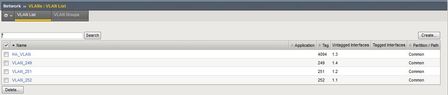
If you've run out of physical interfaces you need to use tagged interfaces and then make a change on the connecting switch so that multiple VLANs are carried across a single physical connection (using 802.1q tags to identify to which VLAN a packet belongs). Bear in mind that the available bandwidth of the physical connection is shared amongst all VLANs running across that link.
I would recommend changing one of your existing VLANs be be tagged and making a similar change on the connecting switchport (on a Cisco make the port an 802.1q trunk). Obviously there would be an interruption to services running over this VLAN during the change. Then you should be able to add multiple VLANs across the same interface with no problem.
Hope this helps.



Recent Discussions
Related Content
* Getting Started on DevCentral
* Community Guidelines
* Community Terms of Use / EULA
* Community Ranking Explained
* Community Resources
* Contact the DevCentral Team
* Update MFA on account.f5.com