Forum Discussion

 Altocumulus
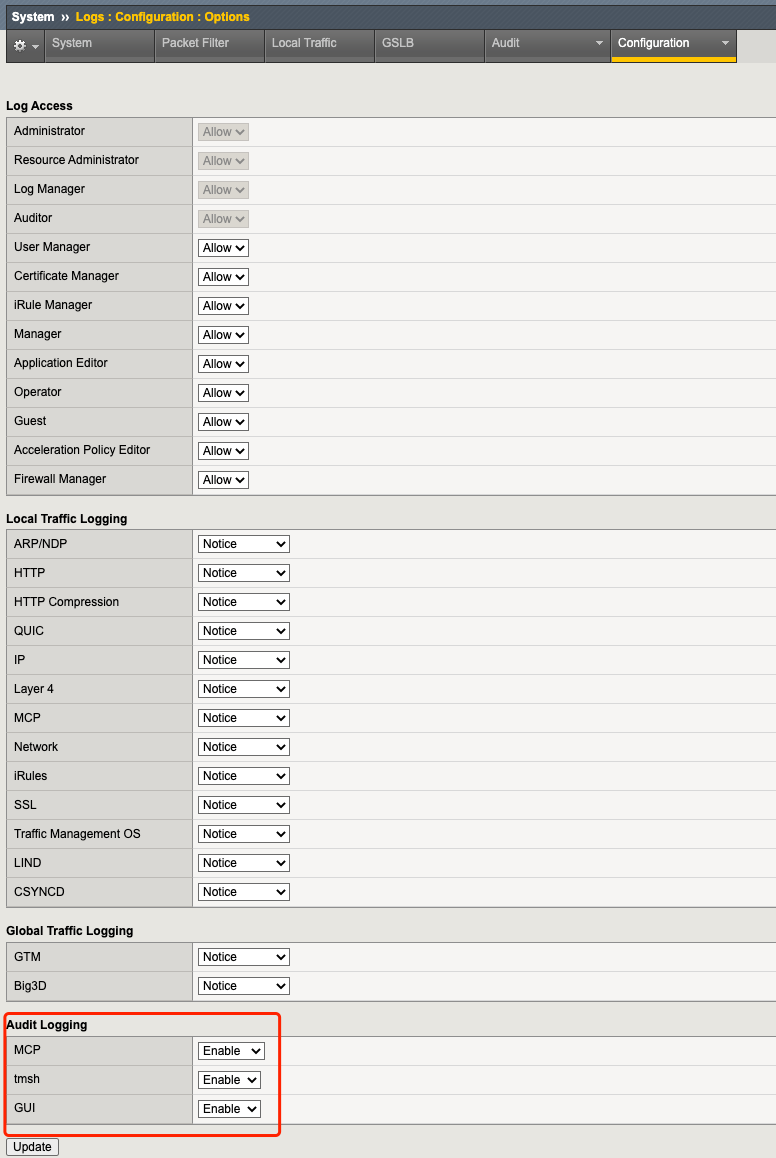
Audit Logging - GUI in F5 Big IP
Hello Members,
I am using a F5 BIG IP LTM version 15.1.2.1 in our Infra.
Can someone explain whats "GUI" option in Audit Logging configuration ?
The other options i am quite aware are the MCP and tmsh, which are already enabled and in use.
Curious to understand what audit logs we get if we enable GUI logging ?
2 Replies
 Dario_Garrido
Noctilucent
Hello Nikhilmbass.
That is the definition:
----------------
Specifies the log level for Master Control Program (MCP) events. The default is Enable.
- Select Disable to turn off audit logging for MCP events.
- Select Enable to turn on logging for MCP events.
- Select Verbose to turn on descriptive logging for MCP events.
- Select Debug to turn on logging and description for all MCP events.
Specifies the log level for tmsh utility events. The default is Enable.
- Select Disable to turn off audit logging of tmsh utility events.
- Select Enable to turn on logging for tmsh utility events.
Specifies the log level for GUI events. The default is Disable.
- Select Disable to turn off audit logging of GUI events.
- Select Enable to turn on logging for GUI events.
----------------
So, GUI is for web access and tmsh for CLI. MCP is the daemon that manages the configuration changes.
 hanyanze
Nimbostratus



Recent Discussions
Related Content
* Getting Started on DevCentral
* Community Guidelines
* Community Terms of Use / EULA
* Community Ranking Explained
* Community Resources
* Contact the DevCentral Team
* Update MFA on account.f5.com