Forum Discussion

Jonathancert Cirrus
Feb 14, 2021CirrusStatistics for Virutual Servers
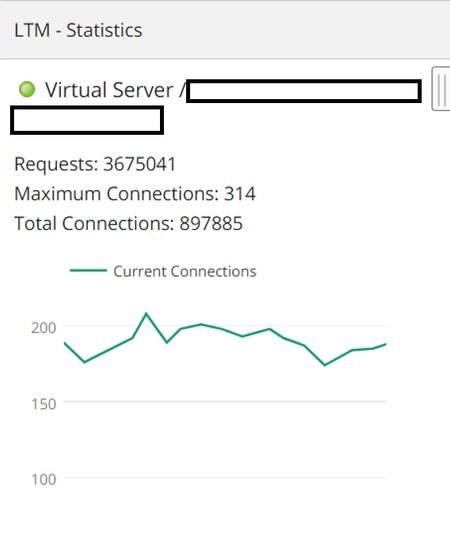
I not clear on the output of the statistics for virtual servers. Mainly on what the F5 LTM considers "Requests" and "Connections". I included a picture of one my my VS statistics. The amount seems...

crodriguez
Feb 17, 2021Ret. Employee
You can view virtual server and pool statistics from the command line using the show command, rather than list. For example, to show traffic statistics for a virtual server named http_vs:
(tmos)# show /ltm virtual http_vsTo show traffic statistics for all members in the pool named http_pool:
(tmos)# show /ltm pool http_pool membersYou can reset statistics for a particular pool, pool member, or virtual server using the reset-stats command. For example, to reset statistics for a virtual server http_vs:
(tmos)# reset-stats /ltm virtual http_vsHope this helps!



Recent Discussions
Related Content
DevCentral Quicklinks
* Getting Started on DevCentral
* Community Guidelines
* Community Terms of Use / EULA
* Community Ranking Explained
* Community Resources
* Contact the DevCentral Team
* Update MFA on account.f5.com
Discover DevCentral Connects