Forum Discussion

 Nimbostratus
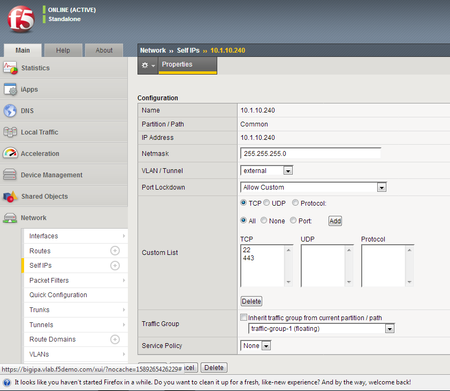
Not able to access BIG IP using external Self IP Address

 Nacreous
First up, download the latest OVA version of BIG-IP. I've found the VE version of v14 to be buggy as hell.
Secondly do you have dual LAN connections on your machine? I notice dual Local Area Connections. If so then VMNet2 is the same as the address space on Local Area Connection so it will never route correctly. If you want to use the same network intenal as external to the machine you have to change the VMNet2 interface type to bridged.
If you want it to stay as NAT then change VMNet2 to 10.1.30.0/24 and the SelfIP address something in that network. You should then be able to access the F5 on its external Self-IP address from the local machine. When you are coming from outside the machine, eg somewhere on the network then it will be Local Area Connection address on whatever port you forward to the F5's Self IP address. (you dont have any port forwards setup at the moment on that NAT interface)
Lastly, some VE's have a really nasty habit of swapping interface order. So interface 1.1 on the BIGIP is not the second interface in VMware as it should be. Once you have the BIG-IP running, check the MAC address under interfaces is the same MAC address under the second assigned Vmware interface. Check all the data interfaces MAC's match the interfaces in Vmware in the same order. (https://support.f5.com/csp/article/K12149)



Recent Discussions
Related Content
* Getting Started on DevCentral
* Community Guidelines
* Community Terms of Use / EULA
* Community Ranking Explained
* Community Resources
* Contact the DevCentral Team
* Update MFA on account.f5.com