devops
1595 TopicsMulti‑Cluster Kubernetes App Delivery Made Simple with F5 BIG‑IP CIS & Nutanix Kubernetes Platform
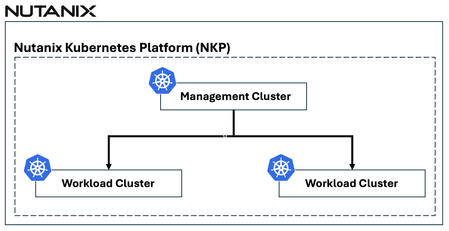
Organizations are increasingly deploying applications across multiple Kubernetes clusters to achieve greater resilience, scalability, and operational flexibility. However, as environments expand, so does the complexity. Managing traffic, ensuring consistent security policies, and delivering applications seamlessly across multiple Kubernetes clusters can quickly become operationally overwhelming. F5 and Nutanix jointly address these challenges together by combining the application delivery and security capabilities of F5 BIG-IP with the simplicity and operational consistency of the Nutanix Kubernetes Platform (NKP). See it in action—watch the demo video: F5 BIG-IP Container Ingress Services (CIS) Overview F5 BIG‑IP Container Ingress Services (CIS) is a Kubernetes‑native ingress and automation controller that connects F5 BIG‑IP directly to Kubernetes. F5 BIG-IP CIS watches the Kubernetes API in real time and translates native Kubernetes resources—including Ingress, Routes, VirtualServer, TransportServer, and AS3 declarations—into F5 BIG‑IP configurations. This transforms F5 BIG‑IP from an external appliance into a declarative, automated extension of the Kubernetes environment, enabling cloud‑native workflows and eliminating manual, error‑prone configuration. This tight integration ensures that application delivery, security, and traffic management remain consistent and automatically adapt as Kubernetes environments change. Multi-Cluster Application Delivery with CIS Multi-cluster architectures are rapidly becoming the enterprise standard. But delivering applications across multiple Kubernetes clusters introduces challenges, including: Maintaining consistent security policies Automatically routing traffic to the most appropriate cluster as workloads scale or shift Avoiding configuration drift and fragmented visibility Reducing operational friction caused by manual updates Without the right tooling, these challenges can lead to operational sprawl and deployment delays. F5 BIG-IP CIS addresses these challenges through its built‑in multi‑cluster capabilities, enabling a single BIG‑IP Virtual Server to front applications that span multiple Kubernetes clusters. This approach: Consolidates application access behind one unified entry point Automatically updates traffic routing as clusters scale or workloads migrate Enforces consistent policies across environments Significantly reduces operational overhead by eliminating per‑cluster configuration F5 BIG-IP CIS supports both standalone mode and high‑availability (HA) mode for multi-cluster environments. In HA mode, the primary F5 BIG-IP CIS instance is responsible for managing F5 BIG‑IP configuration, while a secondary instance continuously monitors its health. If the primary instance becomes unavailable, the secondary automatically takes over, ensuring uninterrupted management and application delivery continuity. F5 BIG-IP CIS + Nutanix Kubernetes Platform (NKP): Better Together When F5 BIG‑IP CIS is combined with the Nutanix Kubernetes Platform (NKP), organizations gain a unified and automated approach to delivering, securing, and scaling applications across multiple Kubernetes clusters—a cohesive multi‑cluster application services solution. Key benefits include: Unified North–South Control Plane F5 BIG‑IP acts as the intelligent front door for all Kubernetes clusters, centralizing traffic management and visibility. Consistent Security Policies WAF, DDoS protection, and traffic policies can be applied uniformly across Kubernetes clusters to maintain a consistent security posture. Automated Orchestration and Reduced Operational Overhead F5 BIG-IP CIS’s event‑driven automation aligns with NKP’s streamlined cluster lifecycle management, reducing manual configuration and operational complexity. Direct Pod Routing in Cluster Mode Static route support in cluster mode enables CIS to automatically configure static routes on BIG‑IP using the node subnets assigned to Kubernetes cluster nodes. This allows BIG‑IP to route directly to Kubernetes pod subnets without requiring any tunnel configuration, greatly simplifying the networking architecture. Flexible Deployment Topologies: Standalone or HA CIS supports both standalone and high‑availability deployment in multi-cluster environments, enabling resilient application exposure across Kubernetes clusters. Conclusion As Kubernetes environments continue to expand, the need for consistent, secure, and efficient multi‑cluster application delivery becomes increasingly critical. Together, F5 BIG‑IP CIS and Nutanix Kubernetes Platform (NKP) provide a unified, automated, and future‑ready solution that removes much of the operational complexity traditionally associated with distributed architectures. This joint solution delivers consistent security enforcement, intelligent traffic management, and streamlined operations across any number of Kubernetes clusters. Whether an organization is aimed at modernization, expanding into multi‑cluster architectures, or working to streamline and secure Kubernetes traffic flows, F5 and Nutanix jointly offer a forward-looking path. Multi‑cluster Kubernetes doesn’t have to be complex—and with F5 BIG‑IP CIS and Nutanix Kubernetes Platform (NKP), it’s never been simpler. Related URLs F5 BIG-IP Container Ingress Services (CIS) for Multi-Cluster https://clouddocs.f5.com/containers/latest/userguide/multicluster/ Nutanix Kubernetes Platform (NKP) https://www.nutanix.com/products/kubernetes-management-platform 53Views1like0Comments
Secure and Harden Forward Proxies in NGINX Plus
Most people know NGINX as a reverse proxy, sitting in front of your servers to handle incoming traffic. Forward proxy works in the opposite direction. It sits between your internal users (or applications) and the outside world, managing outbound connections. NGINX Plus R36 introduced this capability through support for the HTTP CONNECT method. Before this, organizations often needed separate tools for inbound and outbound traffic control. Now you can handle both with a single platform. This unification in a single platform reduces operational overhead, streamlines application delivery and management, and reduces the attack surface of your application infrastructure.109Views1like0CommentsBIG-IP Next for Kubernetes CNFs - DNS walkthrough
Introduction F5 enables advanced DNS implementations across different deployments, whether it’s hardware, Virtual Functions and F5 Distributed Cloud. Also, in Kubernetes environment through the F5BigDnsApp Custom Resource Definition (CRD), allowing declarative configuration of DNS listeners, pools, monitors, and profiles directly in-cluster. Deploying DNS services like Express, Cache, and DoH within the Kubernetes cluster using BIG-IP Next for Kubernetes CNF DNS saves external traffic by resolving queries locally (reducing egress to upstream resolvers by up to 80% with caching) and enhances security through in-cluster isolation, mTLS enforcement, and protocol encryption like DoH, preventing plaintext DNS exposure over cluster boundaries. This article provides a walkthrough for DNS Express, DNS Cache, and DNS-over-HTTPS (DoH) on top of Red Hat OpenShift. Prerequisites Deploy BIG-IP Next for Kubernetes CNF following the steps in F5’s Cloud-Native Network Functions (CNFs) Verify the nodes and CNF components are installed [cloud-user@ocp-provisioner f5-cne-2.1.0]$ kubectl get nodes NAME STATUS ROLES AGE VERSION master-1.ocp.f5-udf.com Ready control-plane,master,worker 2y221d v1.29.8+f10c92d master-2.ocp.f5-udf.com Ready control-plane,master,worker 2y221d v1.29.8+f10c92d master-3.ocp.f5-udf.com Ready control-plane,master,worker 2y221d v1.29.8+f10c92d worker-1.ocp.f5-udf.com Ready worker 2y221d v1.29.8+f10c92d worker-2.ocp.f5-udf.com Ready worker 2y221d v1.29.8+f10c92d [cloud-user@ocp-provisioner f5-cne-2.1.0]$ kubectl get pods -n cne-core NAME READY STATUS RESTARTS AGE f5-cert-manager-656b6db84f-dmv78 2/2 Running 10 (15h ago) 19d f5-cert-manager-cainjector-5cd9454d6c-sc8q2 1/1 Running 21 (15h ago) 19d f5-cert-manager-webhook-6d87b5797b-954v6 1/1 Running 4 19d f5-dssm-db-0 3/3 Running 13 (18h ago) 15d f5-dssm-db-1 3/3 Running 0 18h f5-dssm-db-2 3/3 Running 4 (18h ago) 42h f5-dssm-sentinel-0 3/3 Running 0 14h f5-dssm-sentinel-1 3/3 Running 10 (18h ago) 5d8h f5-dssm-sentinel-2 3/3 Running 0 18h f5-rabbit-64c984d4c6-xn2z4 2/2 Running 8 19d f5-spk-cwc-77d487f955-j5pp4 2/2 Running 9 19d [cloud-user@ocp-provisioner f5-cne-2.1.0]$ kubectl get pods -n cnf-fw-01 NAME READY STATUS RESTARTS AGE f5-afm-76c7d76fff-5gdhx 2/2 Running 2 42h f5-downloader-657b7fc749-vxm8l 2/2 Running 0 26h f5-dwbld-d858c485b-6xfq8 2/2 Running 2 26h f5-ipsd-79f97fdb9c-zfqxk 2/2 Running 2 26h f5-tmm-6f799f8f49-lfhnd 5/5 Running 0 18h f5-zxfrd-d9db549c4-6r4wz 2/2 Running 2 (18h ago) 26h f5ingress-f5ingress-7bcc94b9c8-zhldm 5/5 Running 6 26h otel-collector-75cd944bcc-xnwth 1/1 Running 1 42h DNS Express Walkthrough DNS Express configures BIG-IP to authoritatively answer queries for a zone by pulling it via AXFR/IXFR from an upstream server, with optional TSIG auth keeping zone data in-cluster for low-latency authoritative resolution. Step 1: Create a F5BigDnsZone CR for zone transfer (e.g., example.com from upstream 10.1.1.12). # cat 10-cr-dnsxzone.yaml apiVersion: k8s.f5net.com/v1 kind: F5BigDnsZone metadata: name: example.com spec: dnsxAllowNotifyFrom: ["10.1.1.12"] dnsxServer: address: "10.1.1.12" port: 53 dnsxEnabled: true dnsxNotifyAction: consume dnsxVerifyNotifyTsig: false #kubectl apply -f 10-cr-dnsxzone.yaml -n cnf-fw-01 Step 2: Deploy F5BigDnsApp CR with DNS Express enabled # cat 11-cr-dnsx-app-udp.yaml apiVersion: "k8s.f5net.com/v1" kind: F5BigDnsApp metadata: name: "dnsx-app-listener" namespace: "cnf-fw-01" spec: destination: address: "10.1.30.100" port: 53 ipProtocol: "udp" snat: type: "automap" dns: dnsExpressEnabled: true logProfile: "cnf-log-profile" # kubectl apply -f 11-cr-dnsx-app-udp.yaml -n cnf-fw-01 Step 3: Validate: Query from our client pod & tmm statistics dig @10.1.30.100 www.example.com ; <<>> DiG 9.18.30-0ubuntu0.20.04.2-Ubuntu <<>> @10.1.30.100 www.example.com ; (1 server found) ;; global options: +cmd ;; Got answer: ;; ->>HEADER<<- opcode: QUERY, status: NOERROR, id: 43865 ;; flags: qr aa rd; QUERY: 1, ANSWER: 1, AUTHORITY: 1, ADDITIONAL: 2 ;; WARNING: recursion requested but not available ;; OPT PSEUDOSECTION: ; EDNS: version: 0, flags:; udp: 4096 ;; QUESTION SECTION: ;www.example.com. IN A ;; ANSWER SECTION: www.example.com. 604800 IN A 192.168.1.11 ;; AUTHORITY SECTION: example.com. 604800 IN NS ns.example.com. ;; ADDITIONAL SECTION: ns.example.com. 604800 IN A 192.168.1.10 ;; Query time: 0 msec ;; SERVER: 10.1.30.100#53(10.1.30.100) (UDP) ;; WHEN: Thu Jan 22 11:10:24 UTC 2026 ;; MSG SIZE rcvd: 93 kubectl exec -it deploy/f5-tmm -c debug -n cnf-fw-01 -- bash /tmctl -id blade tmmdns_zone_stat name=example.com name dnsx_queries dnsx_responses dnsx_xfr_msgs dnsx_notifies_recv ----------- ------------ -------------- ------------- ------------------ example.com 2 2 0 0 DNS Cache Walkthrough DNS Cache reduces latency by storing responses non-authoritatively, referenced via a separate cache CR in the DNS profile, cutting repeated upstream queries and external bandwidth use. Step 1: Create a DNS Cache CR F5BigDnsCache # cat 13-cr-dnscache.yaml apiVersion: "k8s.f5net.com/v1" kind: F5BigDnsCache metadata: name: "cnf-dnscache" spec: cacheType: resolver resolver: useIpv4: true useTcp: false useIpv6: false forwardZones: - forwardZone: "example.com" nameServers: - ipAddress: 10.1.1.12 port: 53 - forwardZone: "." nameServers: - ipAddress: 8.8.8.8 port: 53 # kubectl apply -f 13-cr-dnscache.yaml -n cnf-fw-01 Step 2: Deploy F5BigDnsApp CR with DNS Cache enabled # cat 11-cr-dnsx-app-udp.yaml apiVersion: "k8s.f5net.com/v1" kind: F5BigDnsApp metadata: name: "dnsx-app-listener" namespace: "cnf-fw-01" spec: destination: address: "10.1.30.100" port: 53 ipProtocol: "udp" snat: type: "automap" dns: dnsCache: "cnf-dnscache" logProfile: "cnf-log-profile" # kubectl apply -f 11-cr-dnsx-app-udp.yaml -n cnf-fw-01 Step 3: Validate: Query from our client pod dig @10.1.30.100 www.example.com ; <<>> DiG 9.18.30-0ubuntu0.20.04.2-Ubuntu <<>> @10.1.30.100 www.example.com ; (1 server found) ;; global options: +cmd ;; Got answer: ;; ->>HEADER<<- opcode: QUERY, status: NOERROR, id: 18302 ;; flags: qr rd ra; QUERY: 1, ANSWER: 1, AUTHORITY: 0, ADDITIONAL: 1 ;; OPT PSEUDOSECTION: ; EDNS: version: 0, flags:; udp: 4096 ;; QUESTION SECTION: ;www.example.com. IN A ;; ANSWER SECTION: www.example.com. 19076 IN A 192.168.1.11 ;; Query time: 4 msec ;; SERVER: 10.1.30.100#53(10.1.30.100) (UDP) ;; WHEN: Thu Jan 22 11:04:45 UTC 2026 ;; MSG SIZE rcvd: 60 DoH Walkthrough DoH exposes DNS over HTTPS (port 443) for encrypted queries, using BIG-IP's protocol inspection and UDP profiles, securing in-cluster DNS from eavesdropping and MITM attacks. Step 1: Ensure TLS secret exists and HTTP profiles exist # cat 14-tls-clientsslsettings.yaml apiVersion: k8s.f5net.com/v1 kind: F5BigClientsslSetting metadata: name: "cnf-clientssl-profile" namespace: "cnf-fw-01" spec: enableTls13: true enableRenegotiation: false renegotiationMode: "require" # cat 15-http-profiles.yaml apiVersion: "k8s.f5net.com/v1" kind: F5BigHttp2Setting metadata: name: http2-profile spec: activationModes: "alpn" concurrentStreamsPerConnection: 10 connectionIdleTimeout: 300 frameSize: 2048 insertHeader: false insertHeaderName: "X-HTTP2" receiveWindow: 32 writeSize: 16384 headerTableSize: 4096 enforceTlsRequirements: true --- apiVersion: "k8s.f5net.com/v1" kind: F5BigHttpSetting metadata: name: http-profile spec: oneConnect: false responseChunking: "sustain" lwsMaxColumn: 80 # kubectl apply -f 14-tls-clientsslsettings.yaml -n cnf-fw-01 # kubectl apply -f 15-http-profiles.yaml -n cnf-fw-01 Step 2: Create DNSApp for DoH service # cat 16-DNSApp-doh.yaml apiVersion: "k8s.f5net.com/v1" kind: F5BigDnsApp metadata: name: "cnf-dohapp" namespace: "cnf-fw-01" spec: ipProtocol: "udp" dohProtocol: "udp" destination: address: "10.1.20.100" port: 443 snat: type: "automap" dns: dnsExpressEnabled: false dnsCache: "cnf-dnscache" clientSslSettings: "clientssl-profile" pool: members: - address: "10.1.10.50" monitors: dns: enabled: true queryName: "www.example.com" queryType: "a" recv: "192.168.1.11" # kubectl apply -f 16-DNSApp-doh.yaml -n cnf-fw-01 Step 3: Testing from our client pod ubuntu@client:~$ dig @10.1.20.100 -p 443 +https +notls-ca www.google.com ; <<>> DiG 9.18.30-0ubuntu0.20.04.2-Ubuntu <<>> @10.1.20.100 -p 443 +https +notls-ca www.google.com ; (1 server found) ;; global options: +cmd ;; Got answer: ;; ->>HEADER<<- opcode: QUERY, status: NOERROR, id: 4935 ;; flags: qr rd ra; QUERY: 1, ANSWER: 6, AUTHORITY: 0, ADDITIONAL: 1 ;; OPT PSEUDOSECTION: ; EDNS: version: 0, flags:; udp: 4096 ;; QUESTION SECTION: ;www.google.com. IN A ;; ANSWER SECTION: www.google.com. 69 IN A 142.251.188.103 www.google.com. 69 IN A 142.251.188.147 www.google.com. 69 IN A 142.251.188.106 www.google.com. 69 IN A 142.251.188.105 www.google.com. 69 IN A 142.251.188.99 www.google.com. 69 IN A 142.251.188.104 ;; Query time: 8 msec ;; SERVER: 10.1.20.100#443(10.1.20.100) (HTTPS) ;; WHEN: Thu Jan 22 11:27:05 UTC 2026 ;; MSG SIZE rcvd: 139 ubuntu@client:~$ dig @10.1.20.100 -p 443 +https +notls-ca www.example.com ; <<>> DiG 9.18.30-0ubuntu0.20.04.2-Ubuntu <<>> @10.1.20.100 -p 443 +https +notls-ca www.example.com ; (1 server found) ;; global options: +cmd ;; Got answer: ;; ->>HEADER<<- opcode: QUERY, status: NOERROR, id: 20401 ;; flags: qr rd ra; QUERY: 1, ANSWER: 1, AUTHORITY: 0, ADDITIONAL: 1 ;; OPT PSEUDOSECTION: ; EDNS: version: 0, flags:; udp: 4096 ;; QUESTION SECTION: ;www.example.com. IN A ;; ANSWER SECTION: www.example.com. 17723 IN A 192.168.1.11 ;; Query time: 4 msec ;; SERVER: 10.1.20.100#443(10.1.20.100) (HTTPS) ;; WHEN: Thu Jan 22 11:27:18 UTC 2026 ;; MSG SIZE rcvd: 60 Conclusion BIG-IP Next DNS CRs transform Kubernetes into a production-grade DNS platform, delivering authoritative resolution, caching efficiency, and encrypted DoH, all while optimizing external traffic costs and hardening security boundaries for cloud-native deployments. Related Content BIG-IP Next for Kubernetes CNF guide BIG-IP Next Cloud-Native Network Functions (CNFs) BIG-IP Next for Kubernetes CNF deployment walkthrough BIG-IP Next Edge Firewall CNF for Edge workloads | DevCentral Modern Applications-Demystifying Ingress solutions flavors | DevCentral64Views2likes0CommentsDelivering Secure Application Services Anywhere with Nutanix Flow and F5 Distributed Cloud
Introduction F5 Application Delivery and Security Platform (ADSP) is the premier solution for converging high-performance delivery and security for every app and API across any environment. It provides a unified platform offering granular visibility, streamlined operations, and AI-driven insights — deployable anywhere and in any form factor. The F5 ADSP Partner Ecosystem brings together a broad range of partners to deliver customer value across the entire lifecycle. This includes cohesive solutions, cloud synergies, and access to expert services that help customers maximize outcomes while simplifying operations. In this article, we’ll explore the upcoming integration between Nutanix Flow and F5 Distributed Cloud, showcasing how F5 and Nutanix collaborate to deliver secure, resilient application services across hybrid and multi-cloud environments. Integration Overview At the heart of this integration is the capability to deploy a F5 Distributed Cloud Customer Edge (CE) inside a Nutanix Flow VPC, establish BGP peering with the Nutanix Flow BGP Gateway, and inject CE-advertised BGP routes into the VPC routing table. This architecture provides us complete control over application delivery and security within the VPC. We can selectively advertise HTTP load balancers (LBs) or VIPs to designated VPCs, ensuring secure and efficient connectivity. Additionally, the integration securely simplifies network segmentation across hybrid and multi-cloud environments. By leveraging F5 Distributed Cloud to segment and extend the network to remote locations, combined with Nutanix Flow Security for microsegmentation within VPCs, we deliver comprehensive end-to-end network security. This approach enforces a consistent security posture while simplifying segmentation across environments. In this article, we’ll focus on application delivery and security, and explore segmentation in the next article. Demo Walkthrough Let’s walk through a demo to see how this integration works. The goal of this demo is to enable secure application delivery for nutanix5.f5-demo.com within the Nutanix Flow Virtual Private Cloud (VPC) named dev3. Our demo environment, dev3, is a Nutanix Flow VPC with a F5 Distributed Cloud Customer Edge (CE) named jy-nutanix-overlay-dev3 deployed inside: *Note: CE is named jy-nutanix-overlay-dev3 in the F5 Distributed Cloud Console and xc-ce-dev3 in the Nutanix Prism Central. eBGP peering is ESTABLISHED between the CE and the Nutanix Flow BGP Gateway: On the F5 Distributed Cloud Console, we created an HTTP Load Balancer named jy-nutanix-internal-5 serving the FQDN nutanix5.f5-demo.com. This load balancer distributes workloads across hybrid multicloud environments and is protected by a WAF policy named nutanix-demo: We advertised this HTTP Load Balancer with a Virtual IP (VIP) 10.10.111.175 to the CE jy-nutanix-overlay-dev3 deployed inside Nutanix Flow VPC dev3: The CE then advertised the VIP route to its peer via BGP – the Nutanix Flow BGP Gateway: The Nutanix Flow BGP Gateway received the VIP route and installed it in the VPC routing table: Finally, the VMs in dev3 can securely access nutanix5.f5-demo.com while continuing to use the VPC logical router as their default gateway: F5 Distributed Cloud Console observability provides deep visibility into applications and security events. For example, it offers comprehensive dashboards and metrics to monitor the performance and health of applications served through HTTP load balancers. These include detailed insights into traffic patterns, latency, HTTP error rates, and the status of backend services: Furthermore, the built-in AI assistant provides real-time visibility and actionable guidance on security incidents, improving situational awareness and supporting informed decision-making. This capability enables rapid threat detection and response, helping maintain a strong and resilient security posture: Conclusion The integration demonstrates how F5 Distributed Cloud and Nutanix Flow collaborate to deliver secure, resilient application services across hybrid and multi-cloud environments. Together, F5 and Nutanix enable organizations to scale with confidence, optimize application performance, and maintain robust security—empowering businesses to achieve greater agility and resilience across any environment. This integration is coming soon in CY2026. If you’re interested in early access, please contact your F5 representative. Related URLs Simplifying and Securing Network Segmentation with F5 Distributed Cloud and Nutanix Flow | DevCentral F5 Distributed Cloud - https://www.f5.com/products/distributed-cloud-services Nutanix Flow Virtual Networking - https://www.nutanix.com/products/flow/networking 156Views1like0Comments
Simplifying and Securing Network Segmentation with F5 Distributed Cloud and Nutanix Flow
Introduction Enterprises often separate environments—such as development and production—to improve efficiency, reduce risk, and maintain compliance. A critical enabler of this separation is network segmentation, which isolates networks into smaller, secured segments—strengthening security, optimizing performance, and supporting regulatory standards. In this article, we explore the integration between Nutanix Flow and F5 Distributed Cloud, showcasing how F5 and Nutanix collaborate to simplify and secure network segmentation across diverse environments—on-premises, remote, and hybrid multicloud. Integration Overview At the heart of this integration is the capability to deploy a F5 Distributed Cloud Customer Edge (CE) inside a Nutanix Flow VPC, establish BGP peering with the Nutanix Flow BGP Gateway, and inject CE-advertised BGP routes into the VPC routing table. This architecture provides full control over application delivery and security within the VPC. It enables selective advertisement of HTTP load balancers (LBs) or VIPs to designated VPCs, ensuring secure and efficient connectivity. By leveraging F5 Distributed Cloud to segment and extend networks to remote location—whether on-premises or in the public cloud—combined with Nutanix Flow for microsegmentation within VPCs, enterprises achieve comprehensive end-to-end security. This approach enforces a consistent security posture while reducing complexity across diverse infrastructures. In our previous article (click here) , we explored application delivery and security. Here, we focus on network segmentation and how this integration simplifies connectivity across environments. Demo Walkthrough The demo consists of two parts: Extending a local network segment from a Nutanix Flow VPC to a remote site using F5 Distributed Cloud. Applying microsegmentation within the network segment using Nutanix Flow Security Next-Gen. San Jose (SJ) serves as our local site, and the demo environment dev3 is a Nutanix Flow VPC with an F5 Distributed Cloud Customer Edge (CE) deployed inside: *Note: The SJ CE is named jy-nutanix-overlay-dev3 in the F5 Distributed Cloud Console and xc-ce-dev3 in the Nutanix Prism Central. On the F5 Distributed Cloud Console, we created a network segment named jy-nutanix-sjc-nyc-segment and we assigned it specifically to the subnet 192.170.84.0/24: eBGP peering is ESTABLISHED between the CE and the Nutanix Flow BGP Gateway in this segment: At the remote site in NYC, a CE named jy-nutanix-nyc is deployed with a local subnet of 192.168.60.0/24: To extend jy-nutanix-sjc-nyc-segment from SJ to NYC, simply assign the segment jy-nutanix-sjc-nyc-segment to the NYC CE local subnet 192.168.60.0/24 in the F5 Distributed Cloud Console: Effortlessly and in no time, the segment jy-nutanix-sjc-nyc-segment is now extended across environments from SJ to NYC: Checking the CE routing table, we can see that the local routes originated from the CEs are being exchanged among them: At the local site SJ, the SJ CE jy-nutanix-overlay-dev3 advertises the remote route originating from the NYC CE jy-nutanix-nyc to the Nutanix Flow BGP Gateway via BGP, and installs the route in the dev3 routing table: SJ VMs can now reach NYC VMs and vice versa, while continuing to use their Nutanix Flow VPC logical router as the default gateway: To enforce granular security within the segment, Nutanix Flow Security Next-Gen provides microsegmentation. Together, F5 Distributed Cloud and Nutanix Flow Security Next-Gen deliver a cohesive solution: F5 Distributed cloud seamlessly extends network segments across environments, while Nutanix Flow Security Next-Gen ensures fine-grained security controls within those segments: Our demo extends a network segment between two data centers, but the same approach can also be applied between on-premises and public cloud environments—delivering flexibility across hybrid multicloud environments. Conclusion F5 Distributed Cloud simplifies network segmentation across hybrid and multi-cloud environments, making it both secure and effortless. By seamlessly extending network segments across any environment, F5 removes the complexity traditionally associated with connecting diverse infrastructures. Combined with Nutanix Flow Security Next-Gen for microsegmentation within each segment, this integration delivers end-to-end protection and consistent policy enforcement. Together, F5 and Nutanix help enterprises reduce operational overhead, maintain compliance, and strengthen security—while enabling agility and scalability across all environments. This integration is coming soon in CY2026. If you’re interested in early access, please contact your F5 representative. Related URLs Delivering Secure Application Services Anywhere with Nutanix Flow and F5 Distributed Cloud | DevCentral F5 Distributed Cloud - https://www.f5.com/products/distributed-cloud-services Nutanix Flow Network Security - https://www.nutanix.com/products/flow 180Views2likes0Comments
File Permissions Errors When Installing F5 Application Study Tool? Here’s Why.
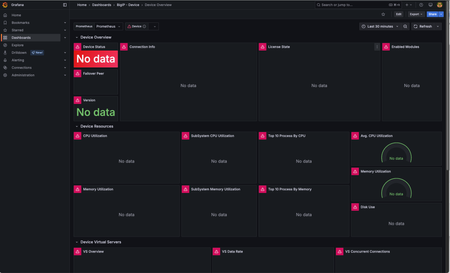
F5 Application Study Tool is a powerful utility for monitoring and observing your BIG-IP ecosystem. It provides valuable insights into the performance of your BIG-IPs, the applications it delivers, potential threats, and traffic patterns. In my work with my own customers and those of my colleagues, we have sometimes run into permissions errors when initially launching the tool post-installation. This generally prevents the tool from working correctly and, in some cases, from running at all. I tend to see this more in RHEL installations, but the problem can occur with any modern Linux distribution. In this blog, I go through the most common causes, the underlying reasons, and how to fix it. Signs that You Have a File Permissions Issue These issues can appear as empty dashboard panels in Grafana, dashboards with errors in each panel (pink squares with white warning triangles, as seen in the image below), or the Grafana dashboard not loading at all. This image shows the Grafana dashboard with errors in each panel. When diving deeper, we see at least one of the three containers are down or continuously restarting. In the below example, the Prometheus container is continuously restarting: ubuntu@ubuntu:~$ docker ps CONTAINER ID IMAGE COMMAND CREATED STATUS PORTS NAMES 59a5e474ce36 prom/prometheus "/bin/prometheus --c…" 2 minutes ago Restarting (2) 18 seconds ago prometheus c494909b8317 grafana/grafana "/run.sh" 2 minutes ago Up 2 minutes 0.0.0.0:3000->3000/tcp, :::3000->3000/tcp grafana eb3d25ff00b3 ghcr.io/f5devcentral/application-stu... "/otelcol-custom --c…" 2 minutes ago Up 2 minutes 4317/tcp, 55679-55680/tcp application-study-tool_otel-collector_1 A look at the container’s logs shows a file permissions error: ubuntu@ubuntu:~$ docker logs 59a5e474ce36 ts=2025-10-09T21:41:25.341Z caller=main.go:184 level=info msg="Experimental OTLP write receiver enabled" ts=2025-10-09T21:41:25.341Z caller=main.go:537 level=error msg="Error loading config (--config.file=/etc/prometheus/prometheus.yml)" file=/etc/prometheus/prometheus.yml err="open /etc/prometheus/prometheus.yml: permission denied" Note that the path, “/etc/prometheus/prometheus.yml”, is the path of the file within the container, not the actual location on the host. There are several ways to get the file’s actual location on the host. One easy method is to view the docker-compose.yaml file. Within the prometheus service, in the volumes section, you will find the following line: - ./services/prometheus/prometheus.yml:/etc/prometheus/prometheus.yml” This indicates the file is located at “./services/prometheus/prometheus.yml” on the host. If we look at its permissions, we see that the user, “other” (represented by the three right-most characters in the permissions information to the left of the filename) are all dashes (“-“). This means the permissions are unset (they are disabled) for this user for reading, writing, or executing the file: ubuntu@ubuntu:~$ ls -l services/prometheus/prometheus.yml -rw-rw---- 1 ubuntu ubuntu 270 Aug 10 21:16 services/prometheus/prometheus.yml For a description of default user roles in Linux and file permissions, see Red Hat’s guide, “Managing file system permissions”. Since all containers in the Application Study Tool run as “other” by default, they will not have any access to this file. At minimum, they require read permissions. Without this, you will see the error above. The Fix! Once you figure out the problem lies in file permissions, it’s usually straightforward to fix it. A simple “chmod o+r” (or “chmod 664” for those who like numbers) on the file, followed by a restart of Docker Compose, will get you back up and running most of the time. For example: ubuntu@ubuntu:~$ ls -l services/prometheus/prometheus.yml -rw-rw---- 1 ubuntu ubuntu 270 Aug 10 21:16 services/prometheus/prometheus.yml ubuntu@ubuntu:~$ chmod o+r services/prometheus/prometheus.yml ubuntu@ubuntu:~$ ls -l services/prometheus/prometheus.yml -rw-rw-r-- 1 ubuntu ubuntu 270 Aug 10 21:16 services/prometheus/prometheus.yml ubuntu@ubuntu:~$ docker-compose down ubuntu@ubuntu:~$ docker-compose up -d The above is sufficient when read permission issues only impact in a few specific files. To ensure read permissions are enabled for "other" for all files in the services directory tree (which is where the AST containers read from), you can recursively set these permissions with the following commands: cd services chmod -R o+r . For AST to work, all containing directories also need to be executable by "other", or the tool will not be able to traverse these directories and reach the files. In this case, you will continue to see permissions errors. If that is the case, you can set execute permission recursively, just like the read permission setting performed above. To do this only for the services directory (which is the only place you should need it), run the following commands: # If you just ran the steps in the previous command section, you will still be in the services/ subdirectory. In the case, run "cd .." before running the following commands. chmod o+x services cd services chmod -R o+X . Notes: The dot (".") must be included at the end of the command. This tells chmod to start with the current working directory. The "-R" tells it to recursively act on all subdirectories. The "X" in "o+X" must capitalized to tell chmod to only operate on directories, not regular files. Execute permission is not needed for regular files in AST. For a good description of how directory permissions work in Linux, see https://linuxvox.com/blog/understanding-linux-directory-permissions-reasoning/ But Why Does this Happen? While the above discussion will fix file permissions issues after they've occurred, I wanted to understand what was actually causing this. Until recently, I had just chalked this up to some odd behavior in certain Red Hat installations (RHEL was the only place I had seen this) that modifies file permissions when they are pulled from GitHub repos. However, there is a better explanation. Many organizations have specific hardening practices when configuring new Linux machines. This sometimes involves the use of “umask” to set default file permissions for new files. Certain umask settings, such as 0007 and 0027 (anything ending with 7) will remove all permissions for “other”. This only affects newly created files, such as those pulled from a Git repo. It does not alter existing files. This example shows how the newly created file, testfile, gets created without read permissions for "other" when the umask is set to 0007. ubuntu@ubuntu:~$ umask 0007 ubuntu@ubuntu:~$ umask 0007 ubuntu@ubuntu:~$ touch testfile ubuntu@ubuntu:~$ ls -l testfile -rw-rw---- 1 ubuntu ubuntu 0 Oct 9 22:34 testfile Notes: In the above command block, note the last three characters in the permissions information, "-rw-rw----". These are all dashes ("-"), indicating the permission is disabled for user "other". The umask setting is available in any modern Linux distribution, but I see it more often on RHEL. Also, if you are curious, this post offers a good explanation of how umask works: What is "umask" and how does it work? To prevent permissions problems in the first place, you can run “umask” on the command line to check the setting before cloning the GitHub repo. If it ends in a 7, modify it (assuming your user account has permissions to do this) to something like “0002” or “0022”. This removes write permissions from “other”, or “group” and “other”, respectively, but does not modify read or execute permissions for anyone. You can also set it to “0000” which will cause it to make no changes to the file permissions of any new files. Alternatively, you can take a reactive approach, installing and launching AST as you normally would and only modifying file permissions when you encounter permission errors. If your umask is set to strip out read and/or execute permissions for "other", this will take more work than setting umask ahead of time. However, you can facilitate this by running the recursive "chmod -R o+r ." and "chmod -R o+X ." commands, as discussed above, to give "other" read permissions for all files and execute permissions for all subdirectories in the directory tree. (Note that this will also enable read permissions on all files, including those where it is not needed, so consider this before selecting this approach.) For a more in-depth discussion of file permissions, see Red Hat’s guide, “Managing file system permissions”. Hope this is helpful when you run into this type of error. Feel free to post questions below.98Views2likes2CommentsUsing F5 NGINX Plus as the Ingress Controller within Nutanix Kubernetes Platform (NKP)
Managing incoming traffic is a critical component of running applications efficiently within Kubernetes clusters. As organizations continue to deploy a growing number of microservices, the need for robust, flexible, and intelligent traffic management solutions becomes more apparent. In this article, we provide an overview of how F5 NGINX Plus, when used as the ingress controller in the Nutanix Kubernetes Platform (NKP), offers a comprehensive approach to traffic optimization, application reliability, and security.413Views1like0CommentsFine-Tuning F5 NGINX WAF Policy with Policy Lifecycle Manager and Security Dashboard
Introduction Traditional WAF management often relies on manual, error-prone editing of JSON or configuration files, resulting in inconsistent security policies across distributed applications. F5 NGINX One Console and NGINX Instance Manager address this by providing intuitive Graphical User Interfaces (GUIs) that replace complex text editors with visual controls. This visual approach empowers SecOps teams to manage security at all three distinct levels precisely: Broad Protection: Rapidly enabling or disabling entire signature sets to cover fast but broad categories of attacks. Targeted Tuning: Fine-tuning security by enabling or disabling signatures for a specific attack type. Granular Control: Defining precise actions for specific user-defined URLs, cookies, or parameters, ensuring that security does not break legitimate application functionality. Centralized Policy Management (F5 NGINX One Console) This video illustrates the shift from manually managing isolated NGINX WAF configurations to a unified, automated approach. With NGINX One Console, you can establish a robust "Golden Policy" and enforce it consistently across development, staging, and production environments from a single SaaS interface. The platform simplifies complex security tasks through a visual JSON editor that makes advanced protection accessible to the entire team, not just deep experts. It also prioritizes operational safety; the "Diff View" allows you to validate changes against the active configuration side-by-side before going live. This enables a smooth workflow where policies are tested in "Transparent Mode" and seamlessly toggled to "Blocking Mode" once validated, ensuring security measures never slow down your release cycles. Operational Visibility & Tuning (F5 NGINX Instance Manager) This video highlights how NGINX Instance Manager transforms troubleshooting from a tedious log-hunting exercise into a rapid, visual investigation. When a user is blocked, support teams can simply paste a Support ID into the dashboard to instantly locate the exact log entry, eliminating the need to grep through text files on individual servers. The console’s new features allow for surgical precision rather than blunt force; instead of turning off entire security signatures, you can create granular exceptions for specific patterns—like a semicolon in a URL—while keeping the rest of your security wall intact. Combined with visual dashboards that track threat campaigns and signature status, this tool drastically reduces Mean-Time-To-Resolution (MTTR) and ensures security controls don’t degrade the application experience. Conclusion The F5 NGINX One Console and F5 NGINX Instance Manager go beyond simplifying workflows—they unlock the full potential of your security stack. With a clear, visual interface, they enable you to manage and resolve the entire range of WAF capabilities easily. These tools make advanced security manageable by allowing you to create and fine-tune policies with precision, whether adjusting broad signature sets or defining rules for specific URLs and parameters. By streamlining these tasks, they enable you to handle complex operations that were once roadblocks, providing a smooth, effective way to keep your applications secure. Resources Devcentral Article: https://community.f5.com/kb/technicalarticles/introducing-f5-waf-for-nginx-with-intuitive-gui-in-nginx-one-console-and-nginx-i/343836 NGINX One Documentation: https://docs.nginx.com/nginx-one-console/waf-integration/overview/ NGINX Instance Manager Documentation: https://docs.nginx.com/nginx-instance-manager/waf-integration/overview/112Views2likes0CommentsThe Ingress NGINX Alternative: F5 NGINX Ingress Controller for the Long Term
The Kubernetes community recently announced that Ingress NGINX will be retired in March 2026. After that date, there won’t be any more new updates, bugfixes, or security patches. ingress-nginx is no longer a viable enterprise solution for the long-term, and organizations using it in production should move quickly to explore alternatives and plan to shift their workloads to Kubernetes ingress solutions that are continuing development. Your Options (And Why We Hope You’ll Consider NGINX) There are several good Ingress controllers available—Traefik, HAProxy, Kong, Envoy-based options, and Gateway API implementations. The Kubernetes docs list many of them, and they all have their strengths. Security start-up Chainguard is maintaining a status-quo version of ingress-nginx and applying basic safety patches as part of their EmeritOSS program. But this program is designed as a stopgap to keep users safe while they transition to a different ingress solution. F5 maintains an OSS permissively licensed NGINX Ingress Controller. The project is open source, Apache 2.0 licensed, and will stay that way. There is a team of dedicated engineers working on it with a slate of upcoming upgrades. If you’re already comfortable with NGINX and just want something that works without a significant learning curve, we believe that the F5 NGINX Ingress Controller for Kubernetes is your smoothest path forward. The benefits of adopting NGINX Ingress Controller open source include: Genuinely open source: Apache 2.0 licensed with 150+ contributors from diverse organizations, not just F5. All development happens publicly on GitHub, and F5 has committed to keeping it open source forever. Plus community calls every 2 weeks. Minimal learning curve: Uses the same NGINX engine you already know. Most Ingress NGINX annotations have direct equivalents, and the migration guide provides clear mappings for your existing configurations. Supported annotations include popular ones such as nginx.org/client-body-buffer-size mirrors nginx.ingress.kubernetes.io/client-body-buffer-size (sets the maximum size of the client request body buffer). Also available in VirtualServer and ConfigMap. nginx.org/rewrite-target mirrors nginx.ingress.kubernetes.io/rewrite-target (sets a replacement path for URI rewrites) nginx.org/ssl-ciphers mirrors nginx.ingress.kubernetes.io/ssl-ciphers (configures enabled TLS cipher suites) nginx.org/ssl-prefer-server-cipher mirrors nginx.ingress.kubernetes.io/ssl-prefer-server-ciphers (controls server-side cipher preference during the TLS handshake) Optional enterprise-grade capabilities: While the OSS version is robust, NGINX Plus integration is available for enterprises needing high availability, authentication and authorization, session persistence, advanced security and commercial support Sustainable maintenance: A dedicated full-time team at F5 ensures regular security updates, bug fixes, and feature development. Production-tested at scale: NGINX Ingress Controller powers approximately 40% of Kubernetes Ingress deployments with over 10 million downloads. It’s battle-tested in real production environments. Kubernetes-native design: Custom Resource Definitions (VirtualServer, Policy, TransportServer) provide cleaner configuration than annotation overload, with built-in validation to prevent errors. Advanced capabilities when you need them: Support for canary deployments, A/B testing, traffic splitting, JWT validation, rate limiting, mTLS, and more—available in the open source version. Future-proof architecture: Active development of NGINX Gateway Fabric provides a clear migration path when you’re ready to move to Gateway API. NGINX Gateway Fabric is a conformant Gateway API solution under CNCF conformance criteria and it is one of the most widely used open source Gateway API solutions. Moving to NGINX Ingress Controller Here’s a rough migration guide. You can also check our more detailed migration guide on our documentation site. Phase 1: Take Stock See what you have: Document your current Ingress resources, annotations, and ConfigMaps Check for snippets: Identify any annotations like: nginx.ingress.kubernetes.io/configuration-snippet Confirm you're using it: Run kubectl get pods --all-namespaces --selector app.kubernetes.io/name=ingress-nginx Set it up alongside: Install NGINX Ingress Controller in a separate namespace while keeping your current setup running Phase 2: Translate Your Config Convert annotations: Most of your existing annotations have equivalents in NGINX Ingress Controller - there's a comprehensive migration guide that maps them out Consider VirtualServer resources: These custom resources are cleaner than annotation-heavy Ingress, and give you more control, but it's your choice Or keep using Ingress: If you want minimal changes, it works fine with standard Kubernetes Ingress resources Handle edge cases: For anything that doesn't map directly, you can use snippets or Policy resources Phase 3: Test Everything Try it with test apps: Create some test Ingress rules pointing to NGINX Ingress Controller Run both side-by-side: Keep both controllers running and route test traffic through the new one Verify functionality: Check routing, SSL, rate limiting, CORS, auth—whatever you're using Check performance: Verify it handles your traffic the way you need Phase 4: Move Over Gradually Start small: Migrate your less-critical applications first Shift traffic slowly: Update DNS/routing bit by bit Watch closely: Keep an eye on logs and metrics as you go Keep an escape hatch: Make sure you can roll back if something goes wrong Phase 5: Finish Up Complete the migration: Move your remaining workloads Clean up the old controller: Uninstall community Ingress NGINX once everything's moved Tidy up: Remove old ConfigMaps and resources you don't need anymore Enterprise-grade capabilities and support Once an ingress layer becomes mission-critical, enterprise features become necessary. High availability, predictable failover, and supportability matter as much as features. Enterprise-grade capabilities available for NGINX Ingress Controller Plus include high availability, authentication and authorization, commercial support, and more. These ensure production traffic remains fast, secure, and reliable. Capabilities include: Commercial support Backed by vendor commercial support (SLAs, escalation paths) for production incidents Access to tested releases, patches, and security fixes suitable for regulated/enterprise environments Guidance for production architecture (HA patterns, upgrade strategies, performance tuning) Helps organizations standardize on a supported ingress layer for platform engineering at scale Dynamic Reconfiguration Upstream configuration updates via API without process reloads Eliminates memory bloat and connection timeouts as upstream server lists and variables are updated in real time when pods scale or configurations change Authentication & Authorization Built-in authentication support for OAuth 2.0 / OIDC, JWT validation, and basic auth External identity provider integration (e.g., Okta, Azure AD, Keycloak) via auth request patterns JWT validation at the edge, including signature verification, claims inspection, and token expiry enforcement Fine-grained access control based on headers, claims, paths, methods, or user identity Optional Web Application Firewall Native integration with F5 WAF for NGINX for OWASP Top 10 protection, gRPC schema validation, and OpenAPI enforcement DDoS mitigation capabilities when combined with F5 security solutions Centralized policy enforcement across multiple ingress resources High availability (HA) Designed to run as multiple Ingress Controller replicas in Kubernetes for redundancy and scale State sharing: Maintains session persistence, rate limits, and key-value stores for seamless uptime. Here’s the full list of differences between NGINX Open Source and NGINX One – a package that includes NGINX Plus Ingress Controller, NGINX Gateway Fabric, F5 WAF for NGINX, and NGINX One Console for managing NGINX Plus Ingress Controllers at scale. Get Started Today Ready to begin your migration? Here's what you need: 📚 Read the full documentation: NGINX Ingress Controller Docs 💻 Clone the repository: github.com/nginx/kubernetes-ingress 🐳 Pull the image: Docker Hub - nginx/nginx-ingress 🔄 Follow the migration guide: Migrate from Ingress-NGINX to NGINX Ingress Controller Interested in the enterprise version? Try NGINX One for free and give it a whirl The NGINX Ingress Controller community is responsive and full of passionate builders -- join the conversation in the GitHub Discussions or the NGINX Community Forum. You’ve got time to plan this migration right, but don’t wait until March 2026 to start.763Views1like0Comments