BigIP Report Old


 Cirrocumulus
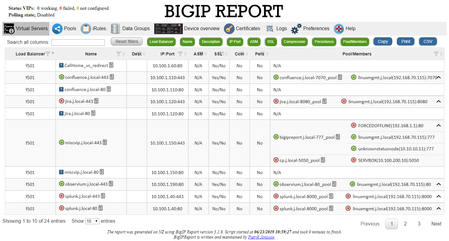
There are now two options for CSV export. The CSV button on the right is exports the current search results. Any filters and such are applied to the download.
The "Export to CSV" button should include all rows and columns in the main virtual server view. I just tried that one again, and it's not exporting for me. I'm not sure why. It looks like it does generate the content.
Which one are you using? What are you seeing? What do you expect to see instead?
The CSV button on the right is pulling HTML markup that should not be there for column headings and such. I'll see if I can clean that up.
You might be able to get what you are after from the json. add /json/virtualservers.json to the end of your URL and see if that json fits your needs.
I added some cleanup, particularly to column headings on the CSV export button. I also cleaned up some field formatting for pool members and such. Opened a new pull request for Patrik. :)
Help guide the future of your DevCentral Community!
What tools do you use to collaborate? (1min - anonymous)