Forum Discussion

rifki Altocumulus
Apr 09, 2020AltocumulusF5 BIG IP LTM virtual server
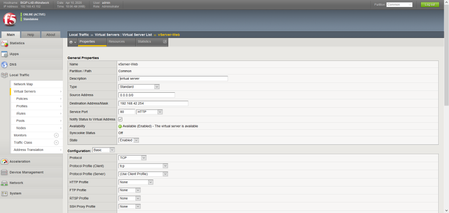
how do you connect the client to the virtual server? I typed the virtual server ip address but failed

Mayur_Sutare MVP
MVP
Apr 09, 2020MVPHello,
Check below points,
- As Virtual Server status is showing Available that means the backend web server pool is up. Now first check basic connectivity to VS first from client. Try by telnetting VS IP on port 80 from client machine. This will confirm if client request reaching F5 VS or not.
- Also why there is no http profile configured on VS. To act F5 as normal reverse proxy, you should have http profile configured on VS. Please configure default 'http' profile on it.
- Check SNAT settings. If your backend web-server's gateway is not F5 (it is on switch etc) then you need to enable SNAT settings. Otherwise it will create Asymmetric Routing issues.
- You can even check hits to backend pool members. Check if requests are getting forwarded to backend pool members when client tries to connect VS. This can be seen under statistics.
If still there are issues, please put full snap of VS configuration.
Mayur



Recent Discussions
Related Content
DevCentral Quicklinks
* Getting Started on DevCentral
* Community Guidelines
* Community Terms of Use / EULA
* Community Ranking Explained
* Community Resources
* Contact the DevCentral Team
* Update MFA on account.f5.com
Discover DevCentral Connects