opensource
1 TopicMoving HTTP Load Balancers Between F5 Distributed Cloud Namespaces — Why It's Harder Than You Think
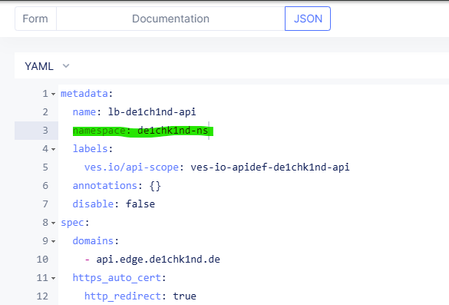
The Problem If you have been working with F5 Distributed Cloud (XC) for a while, you have probably run into this: your namespace structure no longer reflects how your teams or applications are organized. Maybe the initial layout was a quick decision during onboarding. Maybe teams have merged, projects have grown, or your naming convention has evolved. Either way, you now want to move a handful of HTTP load balancers from one namespace to another. Simple enough, right? Just change the namespace field and save... Except you can't. There is no "move" operation on F5 XC - not in the UI, not in the API. Changing the namespace of a load balancer means deleting it in the source and re-creating it in the target. And that is where things get complicated. Why a Simple Delete-and-Recreate Is Not Enough On the surface, the API is straightforward: "GET" the config, "DELETE" the object, "POST" it into the new namespace. But a production HTTP load balancer on XC is rarely a standalone object. It sits at the top of a dependency tree that can include origin pools, health checks, TLS certificates, service policies, app firewalls, rate limiters, and more. Every one of those dependencies needs to be handled correctly - or the migration breaks. Here are the main challenges we might run into. Referential Integrity F5 XC enforces strict referential integrity. You cannot delete an origin pool that is still referenced by a load balancer. You cannot create a load balancer that references an origin pool that does not exist yet. This means the order of operations matters: delete top-down (LBs first, then dependencies), create bottom-up (dependencies first, then LBs). It also means that if two load balancers share an origin pool, you cannot move them independently. Delete the first LB, try to delete the shared pool, and the API returns a 409 Conflict because the second LB still references it. Both LBs - and all of their shared dependencies - have to be moved together as a single atomic unit. New CNAMEs After Every Move When you delete and re-create an HTTP load balancer, F5 XC assigns a new "host_name" (the CNAME target that your DNS records point to). If the LB uses Let's Encrypt auto-certificates, the ACME challenge CNAME changes too. That means after every move, someone needs to update external DNS records - and until that happens, the application is unreachable or the TLS certificate renewal fails. For tenants using XC-managed DNS zones with "Allow Application Loadbalancer Managed Records" enabled, this is handled automatically. But many customers manage their own DNS, and they need the old and new CNAME values for every moved LB. Certificates with Non-Portable Private Keys This one is subtle. When a load balancer uses a manually imported TLS certificate, the private key is stored in one of several formats: blindfolded (encrypted with the Volterra blindfold key) or clear secret. In both of these cases, the XC API never returns the private key material in its GET response. You get the certificate and metadata, but not the key. That means you cannot extract-and-recreate the certificate in a new namespace via the API. Cross-namespace certificate references (outside of "shared" namespace) are also not supported. So if an LB in namespace A uses a manually imported certificate stored in namespace A, and you want to move that LB to namespace B, you need to first manually upload the same certificate into namespace B (or into the "shared" namespace) before the migration can proceed. API Metadata The XC API returns a "referring_objects" field on every config GET response. In theory, this tells you what other objects reference a given resource - exactly what you need to know before deleting something. In practice, this field can be empty even when active references exist. The only reliable way to detect all external references is to actively scan: fetch the config of every load balancer in the namespace and check their specs for references to the objects you are about to move. Cross-Namespace References Are Not Allowed On F5 XC, an HTTP load balancer can only reference objects in its own namespace, in "system" or "shared" namespace. If your origin pool lives in namespace A and you move the LB to namespace B, the origin pool must either come along to namespace B or already exist there. There is no way to have the LB in namespace B point to a pool in namespace A. This means you need to discover the complete transitive dependency tree of every LB, determine which dependencies need to move, detect which are shared between multiple LBs, and batch everything accordingly. The Tool: XC Namespace migration To deal with all of this, (A)I built **xc-ns-mover** — a Python CLI tool that automates the entire process. It has two components: Scanner - scans all namespaces on your tenant, lists every HTTP load balancer, and writes a CSV report. This gives you the inventory to decide what to move. Mover - takes a CSV of load balancers, discovers all dependencies, groups LBs that share dependencies into atomic batches, runs a series of pre-flight checks, and then executes the migration - or generates a dry-run report so you can review everything first, or do the job manually (JSON Code blocks available in the report) What the Mover Does Before Touching Anything The mover runs six pre-flight phases before making any changes: Discovery and batching - fetches every LB config, walks the dependency tree, and uses a union-find algorithm to cluster LBs with shared dependencies into batches. External reference scan - for every dependency being moved, checks whether any LB outside the move list references it. If so, that dependency cannot be moved without breaking the external LB, and the batch is blocked. Conflict detection - lists all existing objects in the target namespace. If a name already exists, the user can skip the object or rename it with a configurable prefix (e.g., "migrated-my-pool"). All internal JSON references are updated automatically. Certificate pre-flight - identifies certificates with non-portable private keys, then searches the target and "shared" namespaces for a matching certificate by domain/SAN comparison (including wildcard matching per RFC 6125). If a match is found, the LB's certificate reference is automatically rewritten. If not, the batch is blocked until the certificate is manually created. DNS zone pre-flight - queries the tenant's DNS zones to detect which ones have managed LB records enabled. LBs under managed zones are flagged as "auto-managed" in the report — no manual DNS update needed. After all checks pass, the actual migration follows a strict order per batch: backup everything, delete top-down, create bottom-up, verify new CNAMEs. If anything fails, automatic rollback kicks in — objects created in the target are deleted, objects deleted from the source are restored from backups. The Reports Every run produces an HTML report. The dry-run report shows planned configurations, the full dependency graph , certificate issues, DNS changes required, and any blocking issues — all before a single API call mutates anything. The post-migration report includes old and new CNAME values, a DNS changes table with exactly which records need updating, and full configuration backups of everything that was touched. Things to Keep in Mind A few caveats that are worth highlighting: Brief interruption is unavoidable - The migration deletes and re-creates load balancers. During that window (typically seconds to a few minutes per batch), traffic to affected domains will be impacted. Plan a change window. Only HTTP load balancers are supported - TCP load balancers and other object types are not handled by this tool. DNS updates are your responsibility - The report gives you all the values - old CNAME, new CNAME, ACME challenge CNAME - but you need to update your DNS provider. Always run the dry-run first - The tool enforces this by default: it stores a fingerprint after a dry-run and verifies it before executing. If the config changes, a new dry-run is required. The project is open source and available on GitHub. This is privately maintained and not "officially supported": https://github.com/de1chk1nd/resources-and-tools/blob/main/tools/xc-ns-mover/README.md If you find bugs or have feature requests, please open a GitHub issue.59Views2likes0Comments