llm
17 Topics
Unlocking the power of AI with Model Context Protocol (MCP): Key features in F5 BIG-IP v21 & v21.1
Model Context Protocol (MCP), now supported in F5 BIG-IP v21, is a groundbreaking standard that revolutionizes AI systems by enabling seamless, dynamic discovery and integration of contextual data across tools, databases, and MCP servers. F5 enhances MCP workflows with optimized load balancing, dynamic traffic management, and secure integration capabilities, ensuring scalable and reliable AI-driven operations across hybrid and multicloud environments. With features like intelligent routing, adaptive context discovery, and agentic AI support, F5 BIG-IP v21 empowers organizations to confidently scale AI solutions while maintaining high performance and security. 226Views0likes0Comments
AI-Enabled Risk Scoring Helps Reduce Risks
Risk Categories AI-enabled Risk Scoring for F5 Distributed Cloud WAF reduces key risk categories: Security, Business/availability, and Operational. Security risk (missed attacks / false negatives): F5 Distributed Cloud's AI-Powered WAF Risk Scoring improves detection by combining multiple signals per request so you don't miss attacks that traditional WAFs may not catch: High-confidence signatures Curated signature combinations (with LLM labeling to improve precision) Attack indicators (e.g., SQLi signals, libinjection, multiple signatures) A real-time ML model—to catch attacks that traditional WAFs may miss Business/availability risk (false positives blocking real users) By assigning High/Medium/Low risk outcomes using layered analysis, teams can enforce blocking with more confidence and keep false positives low, reducing accidental customer impact such as blocking legitimate users. Staged workflows are enabled, such as: Block High Review Medium (implicitly allow Low while continuing to observe) Operational risk (slow time-to-protection and heavy tuning burden) F5 Distributed Cloud's AI-Powered WAF Risk Scoring reduces manual exceptions and case-by-case policy tuning, enabling teams to deploy the WAF in blocking mode sooner, with less ongoing friction across SecOps, dev, and platform teams. Outcome-based scoring enables: Improved consistency of enforcement across distributed apps/APIs Standardization of protection by reducing bespoke tuning per app How the system makes a risk decision Risk level is computed from layering multiple complementary analyses: High Risk or High Accuracy Signature matches Heuristics – such as injection attacks, multiple attack signatures detected, predictable resource exploitation, other risk indicators Neural network - Signatures can sometimes lead to false positives. To address that, a neural network acts as a secondary classifier to determine whether attack fragments flagged by signatures signal an attack, improving accuracy while maintaining real-time performance. Key system scope The ML model analyzes behavioral patterns to refine risk assessment, ensuring accurate classification and enabling effective threat prioritization. Calling the ML model will adhere to the following scope: The ML model is called only if at least one enabled (not excluded/disabled) signature triggers in these categories: Server-Side Code Injection, SQL Injection, XSS, Command Execution, Path Traversal, LDAP Injection, XPath Injection The model analyzes only HTTP request fragments that trigger signatures (not full raw requests). If signatures are excluded or disabled, they are not considered for invoking the model. Model output: 1 = malicious → request risk level set to High 0 = benign → request risk level set to False Positive A primer on Signature Accuracy vs Signature Risk Accuracy Indicates the ability of the attack signature to identify the attack including susceptibility to false-positive alarms: Low: Indicates a high likelihood of false positives. Medium: Indicates some likelihood of false positives. High: Indicates a low likelihood of false positives. Risk Indicates the level of potential damage this attack might cause if it is successful: Low: Indicates the attack does not cause direct damage or reveal highly sensitive data. Medium: Indicates the attack may reveal sensitive data or cause moderate damage. High: Indicates the attack may cause a full system compromise. Does AI-enabled Risk Scoring add latency? AI-enabled Risk Scoring works in line with F5 Distributed Cloud WAF, inspecting real-time traffic without adding noticeable latency in our tests.372Views1like0CommentsImplementing Risk-Based Actions with AI-Powered WAF: Customer Policy Paths
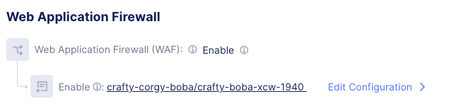
Why Custom policy is where risk-based actions matter most The default policy is straightforward: it applies a broad mix of signatures, threat campaigns, and violations; “Enhance with AI” is an optional add-on. Custom policies are where customers can accidentally recreate the same problems Risk Scoring is designed to solve—usually by combining: Overly broad/noisy signature selection (especially low-accuracy signatures) Aggressive enforcement (blocking Medium too early) Disabling/excluding key signatures and unintentionally reducing ML invocation So the rest of this blog is a tight, configuration-oriented walkthrough of the Custom path. Custom policy: configuration walkthrough (decision points → operational outcomes) Baseline: Navigate to the Custom controls LB Config → Web Application Firewall Create/edit the WAF object (Metadata `Name`, etc.) Set Security Policy = Custom Choose Signature Selection by Accuracy Optionally enable Enhance with AI (Risk Scoring) If enabled, optionally configure Action by Risk Score (risk-based enforcement) Step 1: Signature Selection by Accuracy (choose your baseline level) Accuracy indicates susceptibility to false positives: Low: high likelihood of false positives Medium: some likelihood of false positives High: low likelihood of false positives Note: This setting is foundational: it determines which signatures are active, and therefore the quality and volume of detection signals that feed into downstream risk evaluation. Operationally: High accuracy tends to support faster, safer enforcement. Medium/Low accuracy can expand coverage but increases the chance you’ll need exceptions, investigations, or staged rollout discipline. Step 2: Enhance with AI (turn on Risk Scoring) Enhance with AI = On enables AI-powered risk scoring and assigns each request a High/Medium/Low risk score using layered signals. Two implementation details to make explicit in your blog because they affect customer expectations: ML invocation depends on enabled signatures firing in the specified injection/execution categories. If teams disable/exclude those signatures, they may reduce when the model runs—changing practical behavior of risk evaluation. Step 3: Action by Risk Score (map risk levels to enforcement) When Action by Risk Score is enabled: By default, high-risk requests are blocked Users can choose whether Medium-risk requests are blocked (via dropdown) This is the primary knob that determines how quickly a user decides to move from “safe enforcement” to “broad enforcement.” Recommended rollout path: Day 0 → Day 7 → Steady state This is the most common and safest operational progression for customers Day 0 (safe enforcement baseline) Custom → Signature Selection by Accuracy = High (or High + Medium if you need broader coverage immediately) Enhance with AI = On Action by Risk Score = High Outcome Gets to blocking quickly while minimizing availability risk. High is blocked. This is the “prove safety while stopping obvious bad” posture. Day 7 (controlled expansion) Keep Custom + Enhance with AI + Action by Risk Score Optionally widen Signature Selection from High → High + Medium if coverage is insufficient Enhance with AI = On Action by Risk Score = High + Medium Outcome Expands detection inputs without immediately expanding enforcement. Teams focus on what’s landing in Medium and whether exclusions/disabled signatures are reducing ML invocation in key categories Steady state (mature enforcement) Custom → signature selection set to the broadest set Widen Signature Selection from High + Medium → High + Medium + Low Action by Risk Score = High + Medium Enhance with AI = On Action by Risk Score = High + Medium Outcome Risk outcomes become the enforcement interface. Broad, consistent blocking across apps/APIs with reduced per-app tuning and fewer signature-level decisions Common Pitfalls: Avoid Block Medium on Day 0 when including low-accuracy signatures—this is the fastest way to recreate false-positive outages. If you disable/exclude signatures in the key injection/execution categories, you can reduce ML invocation and change risk evaluation behavior. Summary Custom policies traditionally scale poorly because every app ends up with bespoke signature decisions and exception handling. Risk Scoring is designed to invert that: keep signatures as key signals but standardize enforcement via risk outcomes. If you implement Custom with the Day 0 → Day 7 → Steady state progression above, you get a predictable path from “block safely now” to “enforce broadly later” without returning to signature-by-signature tuning as your primary operating model.620Views2likes1CommentWhat’s new in F5 Insight for ADSP v1.1?
Introduction F5 Insight for ADSP, a key component of the F5 Application Delivery and Security Platform (ADSP), helps teams monitor and secure apps that are spread across hybrid, multi-cloud and AI environments. In this article, I’ll highlight some of the new features introduced in F5 Insight v1.1. Demo Video Disaster Recovery Now with enhanced User Workflows. The F5 Insight Disaster Recovery feature helps your system keep running even if one server fails. It works by maintaining two synchronized systems: Primary instance — Handles all active operations. Standby instance — A backup system that continuously syncs data from the primary. If the Primary fails or requires maintenance, you can “promote” the Standby to take over as the Primary. After fixing the first system, you can perform a “failback” to restore it to normal operation. Change to Default User Credentials on First Boot F5 Insight now supports a default user and random password login workflow. You can either use cloud-init (like previous version) or the default user credential option. NOTE: This applies to new installations, not upgrades. In previous versions of F5 Insight, the procedure to set the admin username/password involved utilizing the “cloud-init” function. There is now an alternative method for setting the admin username/password. A unique password will be generated at first boot, allowing administrators to log in for the first time using this password. This randomly generated password must be changed after initially logging in. UI Improvements Previous versions of F5 Insight dashboards with large data volumes could experience some performance degradation due to extensive configuration objects. This has been resolved by implementing comprehensive performance optimizations across the dashboard platform, enabling it to handle significantly larger datasets while maintaining a fast and responsive user experience. Upgrade Procedure You’ve probably never upgraded your F5 Insight version, so it’s time to learn how. First, download the updated software version from myf5.com. The updated software is distributed as a bundled gzipped tar file. Then, upload the new version to your F5 Insight from the About screen, then click Upgrade. After uploading the new version, select Start Upgrade. The upgrade will take several minutes. Conclusion The latest version of F5 Insight for ADSP offers expanded functionality with Disaster Recovery. It also provides a convenient alternative to “cloud-init” for setting the initial administrative username & password. Finally, there are several UI improvements aimed at making the user experience better and more seamless. Upgrade today to the latest version of F5 Insight for ADSP and enjoy the following benefits: Streamline the initial configuration of F5 Insight with the new default admin user and dynamically generated password. Enjoy expanded workflows with the Disaster Recovery feature. Benefit from the many UI improvements. Related Content Introducing F5 Insight for ADSP F5 Insight for ADSP – Initial Setup in VMware F5 Insight for ADSP - A Closer Look F5 Insight for ADSP Documentation F5 Insight Product Page F5 Insight Release Blog 423Views3likes0Comments
F5 Insight for ADSP – Initial Setup in VMware
Demo Video Initial VMware Configuration Download the ova file from myf5.com. In VMware choose the Create/Register VM option and choose Deploy a virtual machine from an OVF or OVA file. Continue through the install wizard, which will upload the ova file to your VMware server. Uncheck the option to Power on automatically so you can edit the VM properties prior to boot. Note: Thick Provision Lazy Zeroed is recommended for performance Edit the Virtual Hardware options and set the hardware settings as follows: Note: A 600 GB disk formatted to Thick Provision Lazy Zeroed is recommended for performance Switch to the VM Options tab and expand Advanced Scroll down and click Edit Configuration Click Add parameter and add the following: guestinfo.userdata.encoding = base64 Create a local cloud-config.yml file to set the administrative username and password: Be sure to change the admin password and make a note of it. Then you need to base64 encode the file. Return to the VMware Configuration Parameters screen and Add another parameter named “guestinfo.userdata” and paste the base64 encoded text in the Value. Click OK when done. After saving the VM settings, you are ready to power on your VM for the first time! Note: Refer to the F5 Insight on VMware Deployment Guide for further details on this procedure. Post Boot VM Settings Open the VM Console and login to F5 Insight with the credentials specified in the cloud-config.yml file Configure the F5 Insight network settings using the following commands: Example: After hitting Enter, you will see the following: If no changes are needed, enter “y” to confirm. The output should look like the following: Note: Refer to the F5 Insight User Guide for further details on this procedure. Accessing the User Interface The initial configuration is complete and you can now log into the UI. You will see the Welcome screen. Click Next. Paste the text of the JWT Token and click Validate. If the license is activated, click Next. Enable the LLM Provider. Select your LLM Provider, Anthropic in this example. Enter your API Token/Key and the Enterprise API URL. Note that I am skipping TLS verification. Click Test Connection. Click Next if the test is successful On the next screen, select your preferred Setup Method. I’m using Start Fresh. Click Add Device Enter the Endpoint, Username and Password You can optionally configure a Certificate Authority and Data Center Select the Modules that are active and you want to monitor. Click Add Device. Click Next The configuration is complete. You can view the Home Page or the Device Settings. The Home Page should look like this: Conclusion F5 Insight for ADSP offers customizable visualizations and dashboards to help teams surface actionable metrics and KPIs tailored to your organization. It provides access to useful telemetry data for a deeper understanding of your environment, application behaviors, and complex BIG-IP deployments, all centralized in a single location. Identification of root causes during outages/tickets. Solve issues and struggles with Day 2 analysis of your BIG-IP Fleet and the applications therein. Mitigates the problem of a lack of detailed visual information on your BIG-IP Fleet. Set a foundation for the utilization of open-source tools and their benefits. Related Content Introducing F5 Insight for ADSP F5 Insight for ADSP - A Closer Look F5 Insight for ADSP Documentation F5 Insight Product Page F5 Insight Release Blog 583Views5likes0Comments
F5 Insight for ADSP - A Closer Look
Introduction F5 Insight for ADSP, a key component of the F5 Application Delivery and Security Platform (ADSP), helps teams monitor and secure apps that are spread across hybrid, multi-cloud and AI environments. In this article, I’ll highlight some of the key features and use cases addressed by F5 Insight. Demo Video Demo Video: F5 Insight for ADSP - A Closer Look The F5 Insight Home Screen The F5 Insight Home Screen provides comprehensive monitoring for your F5 infrastructure, applications, and security posture. It features intelligent anomaly detection and performance optimization tools, giving administrators and users a centralized view of their BIG-IP fleet health and operational status. System Report Cards The System Report Cards display health indicators ranked Good, Warning, and Critical for the following: Anomaly Detection Monitors the connection count, pool availability, CPU utilization, and memory usage. Application Performance Monitors application-level health based on response time, 4xx, and 5xx error codes. Security Monitors the expiration of SSL/TLS certificates and BIG-IP WAF events. BIG-IP Metrics Monitors for BIG-IP health issues with device resources and operational status. Fleet Status Displays a summary of all BIG-IP devices and their operational status. The Fleet Status shows all the BIG-IP devices with a status of Up, Down or Degraded. Ask AI Assistant Allows you to type queries in plain English to retrieve device statistics, configuration information, security events, device health, application performance and much more. The AI Assistant connects to a configurable Large Language Model (LLM) backend. Supported providers include OpenAI, Anthropic, or a customer provided LLM. An example query: Have there been any outages in the past 24 hours for all devices in all data centers? The AI Assistant understands the question and has identified all the data centers. The AI Assistant then checks the device statistics for any outages or issues. The AI Assistant compiles a detailed summary report of the query. Configuration of Large Language Model (LLM) Large language model (LLM) Insights bring natural language intelligence to F5 Insight, enabling you to query your BIG-IP configurations and logs conversationally. Instead of manually searching through configurations or parsing log files, you can ask questions like “Why is pool member X marked down?” or “Show me all virtual IPs (VIPs) with SSL offloading enabled” and receive immediate, contextualized, clear answers. In the toolbar on the left under Manage, select LLM Insights. Select your LLM Provider Enter your API Token/Key Enter your Enterprise API URL Click Test Connection to verify it’s working Click Save Configuration when the connection is validated. Conclusion F5 Insight for ADSP offers customizable visualizations and dashboards to help you surface metrics and KPIs tailored to your organization. It provides access to useful telemetry data for a deeper understanding of your environment, application behaviors, and complex BIG-IP deployments, all centralized in a single location. Identification of root causes during outages/tickets. Solves issues and struggles with Day 2 analysis of your BIG-IP Fleet and the applications therein. Mitigates the problem of a lack of detailed visual information on your BIG-IP Fleet. Set a foundation for the utilization of open-source tools and their benefits. Related Content Introducing F5 Insight for ADSP F5 Insight for ADSP Documentation F5 Insight Product Page 791Views5likes0Comments
Introducing F5 Insight for ADSP
Introduction F5 Insight for ADSP, a key component of the F5 Application Delivery and Security Platform (ADSP), helps teams monitor and secure apps that are spread across hybrid, multi-cloud and AI environments. In this article, I’ll highlight some of the key features and use cases addressed by F5 Insight. F5 Insight: Actionable intelligence to foster operational excellence Demo Videos Demo Video: Introduction to F5 Insight for ADSP Demo Video: F5 Insight - A Closer Look What is F5 Insight for ADSP? F5 Insight is a holistic solution that unifies every aspect of operating applications. It provides end-to-end visibility and operational narratives. It allows you to prioritize to-dos with health scores, anomaly detection, and report cards. It delivers clarity and value faster with views built by F5 experts. It provides expert guidance and optimization recommendations using natural language interactions. F5 Insight is not intended to replace SIEM solutions like Splunk or Sentinel but serves a different, complementary purpose. It’s an open-source tool designed specifically for monitoring and analyzing metrics from your BIG-IP devices. By leveraging open-source telemetry tools, it collects and presents data in a central, easy-to-read dashboard. This eliminates the need to log into individual interfaces like the CLI or GUI to sift through logs and metrics, offering streamlined visibility into your BIG-IP estate for simplified monitoring and analysis. Why is F5 Insight important? Gain out-of-the-box actionable intelligence to optimize application delivery and security: Get critical application and infrastructure performance data, operational analytics, security issues, and other telemetry in a unified tool. Surface important KPIs and data points fast by querying data using natural language with model context protocol (MCP) support. Optimize application delivery and security, as well as underlying resources, with built-in F5 expertise and guidance. Share data with F5 and use F5 AI Data Fabric for application health scores, security grades, and automatic identification and categorization of apps by type and workload (In Limited Availability) Speeds mean-time-to-innocence (MTTI) and mean-time-to-restore (MTTR) with actionable intelligence and proactive alerts. Streamlines monitoring and analysis while being able to run on its own and integrate with your existing Grafana/VictoriaMetrics stacks. Leverage data to make the business case and prove ROI for more resources, application migrations, or system refreshes. How does F5 Insight work? F5 Insight is deployed as a Virtual Machine. This gives you full access and control of your F5 BIG-IP telemetry data. The configuration is simple, log into the F5 Insight portal and add your BIG-IP devices. There is no configuration needed on BIG-IP itself. Ready to get started? Log into the F5 Insight portal: By default you will arrive at the Home screen. From the navigation menu, under Manage, click BIG-IP Settings to add your BIG-IP devices. Before we add the BIG-IP devices click the Data Centers tab and then Add Data Center. This allows you to specify a location for the BIG-IP devices. Give it a Name, San Jose, CA in this example. Click Add Data Center. Go back to the Devices tab and click Add Device. Note that you can add a single device from here or add multiple devices using the Upload YAML Files (more on this later). For now, let’s add a single device using the management address or Endpoint, Username and Password. Scroll down and specify the Certificate Authority if using custom TLS certificates on BIG-IP devices. Under Data Center select the Data Center created previously, San Jose, CA in this example. Note: if you didn’t create a Data Center you can still do it now. Under Modules select the BIG-IP Modules you are using. In this example I selected Policy Firewall (or AFM). Click Add Device. The BIG-IP from San Jose has been added. From the navigation menu select BIG-IP Device then Device Overview to see more details. Note: you can select the specific Device you want to view. Important details are shown on this screen. Some items of interest are the BIG-IP version, system model or VM, Licenses and Enabled Modules. The Home Screen displays System Report Cards and allows you to drill down into the individual widgets. System Report Cards provide at-a-glance health indicators for four critical monitoring categories. Each card displays a status badge (Good, Warning, or Critical) based on deviation thresholds. Note: you can filter the Home Screen to display a specific Data Center. Adding Multiple BIG-IPs using YAML File Upload For bulk onboarding or infrastructure-as-code workflows, import devices using YAML configuration. Using YAML streamlines bulk onboarding, ensures consistency, improves scalability, simplifies automation, and increases accuracy. It also ensures integration with IaC workflows and CI/CD pipelines—enabling reusable, version-controlled configurations. From the BIG-IP Settings screen select Add Device. Upload your Defaults and Receiver YAML files here or click Paste YAML to copy/paste them. Note: YAML import also supports configuring F5 Insight features such as high availability, LLM Insights, AIDF, and data retention policies alongside device definitions. Both BIG-IPs are now connected to F5 Insight When you return to the BIG-IP Settings screen it should look like this: A correctly configured ast-defaults.yaml file will look like the following. Note: enter the username and password to log into your BIG-IPs A correctly configured ast-receivers.yaml file will look like the following. Note: enter a Device Name and Endpoint address. Conclusion F5 Insight for ADSP offers customizable visualizations and dashboards to help teams surface actionable metrics and KPIs tailored to your organization. It provides access to useful telemetry data for a deeper understanding of your environment, application behaviors, and complex BIG-IP deployments, all centralized in a single location. Identification of root causes during outages/tickets. Solves issues and struggles with Day 2 analysis of your BIG-IP Fleet and the applications therein. Mitigates the problem of a lack of detailed visual information on your BIG-IP Fleet. Set a foundation for the utilization of open-source tools and their benefits. Related Content F5 Insight for ADSP BLOG F5 Insight Documentation F5 Insight Product Page3KViews4likes0CommentsAI Security - LLM-DOS, and predictions of 2025 and beyond
Introduction Hello again, this article is part of AI security series. I have been discussing AI security along with the OWASP LLM top10. LLM01 and LLM02 were discussed in the "AI Security : Prompt Injection and Insecure Output Handling", and LLM03 and its basic concepts were discussed in the "Using ChatGPT for security and introduction of AI security". In this article, I am going to discuss LLM04. And, since we are almost at the end of the year 2024, I would like to present some discussions and predictions for AI security in 2025 and beyond. LLM04: Model Denial of Service LLM04 is relatively easy to understand for security engineers who is familiar with conventional cyber attack methods. Denial of Service (DoS) is a common method of cyber attack, in which a large amount of data is given to the server to make it unable to provide services and/or crash. DoS attacks usually aim to exhaust computational resources and block services rather than stealing data, but the disruption they cause can be used as a smokescreen for more malicious activities, such as data breaches or malware installation. DOS attack against LLM (LLM-DOS) is same. It aims to exhaust computational resources of DOS (like CPU/GPU usage) and block services (like responding to chat). LLM-DOS can be done in two ways. One is a simple LLM-DOS attack which is to mass input against the LLM's input, similar to a DOS attack against a server. This method, as described in this article, can deplete the LLM's resources, like CPU/GPU usages. If you call this as a simple DoS attack, in such a scenario would be to instruct the model to keep repeating Hello, but we see that relying only on natural instructions limits the output length, which is limited by the maximum length of the LLM's Supervised Fine-Tuning (SFT) data The another method of LLM-DOS is to include code in the input that over-consumes resources. Denial-of-Service Poisoning Attacks on Large Language Models is discussing this. In the paper, this is called as a poisoning-based DoS (P-DoS) attack and it demonstrates that the output length limit can be broken by injecting a single poisoning sample designed for DoS purposes. Experiments reveal that an attacker can easily compromise models such as GPT-4o and GPT-4o mini by injecting a single poisoning sample through the OpenAI API at a minimal cost of less than $1. To understand this, it is easier to think about simple programming - for example, if you put an inescapable loop statement in your code, it can hang the computer (in fact, the IDE will warn you before it compiles). And if the network does not have a Spanning Tree Protocol, it will loop and hang the router. So same things happens on prompt injection. When using this idea LLLM-DOS, we must consider that such input should be blacklisted, so the simple way of using inescapable loop is impossible. Also, even if it is possible against WhiteBox, but we do not know what kind of attack is possible in BlackBox. However, according to "Crabs: Consuming Resource via Auto-generation for LLM-DoS Attack under Black-box Settings", a Prompt input to the BlackBox can generate multiple sub-prompts (e.g., 25 sub-prompts). Its experiments show that the delay could be increased by a factor of 250. Given these serious safety concerns, researchers advocate further research aimed at defending against LLM-DoS threats in custom fine tuning of aligned LLMs. What will happen in 2025 and beyond? Some news site predicts an intensifying AI arms race in coming year. I would like to share an article on AI security predictions for the coming year and beyond. According to an article by EG Secure solutions, the generative AI makes it possible to create a malware without specialized skills, that makes easier to do cyber attacks. Thus, the article predicted that cyber attacks by malware created by generative AI would increase. The article also points out that LLM-generated applications such as RAGs are being used, but their code may contain vulnerabilities, and that will be another threat in 2025 and beyond. McAfee has released "McAfee Unveils 2025 Cybersecurity Predictions: AI-Powered Scams and Emerging Digital Threats Take Center Stage". According to the article, cyber attacks by malicious attackers will be highly optimized by generative AI, and the quality of DeepFake and AI-generated images/videos will increase, making it difficult to determine whether they are created by humans or generative AI. Thus it is expected that fake emails generated by generative AI, such as phishing emails, will also become harder to distinguish from real emails. Furthermore, the article points out that malware which is using (maybe created by) generative AI will become more sophisticated, thereby breaking through conventional security defense systems and may succeed to extracting personal information and sensitive data. Finally, the "Infosec experts divided on AI's potential to assist red teams" discusses the pros and cons of using generative AI for red teaming, one type of security audit. According to the article, the benefit of using generative AI is that it accelerates threat detection by allowing AI to scour multiple data feeds, applications, and other sources of performance data and run them as part of a larger automated workflow. On the other hand, the article also argues that using generative AI for red teaming is still limited, because the vulnerability discovery process by AI is a black box so the pen-tester cannot explain how they discovered to their clients.1.5KViews1like1CommentF5 and MinIO: AI Data Delivery for the hybrid enterprise
Introduction Modern application architectures demand solutions that not only handle exponential data growth but also enable innovation and drive business results. As AI/ML workloads take center stage in industries ranging from healthcare to finance, application designers are increasingly turning to S3-compliant object storage because of its ability to provide scalable management of unstructured data. Whether it’s for ingesting massive datasets, running iterative training models, or delivering high-throughput predictions, S3-compatible storage systems play a foundational role in supporting these advanced data pipelines. MinIO has emerged as a leader in this space, offering high-performance, S3-compatible object storage built for modern-scale applications. MinIO is designed to easily work with AI/ML workflows. It is lightweight and cloud-based, so it is a good choice for businesses that are building infrastructure to support innovation. From storing petabyte-scale datasets to providing the performance needed for real-time AI pipelines, MinIO delivers the reliability and speed required for data-intensive work. While S3-compliant storage like MinIO forms the backbone of data workflows, robust traffic management and application delivery capabilities are essential for ensuring continuous availability, secure pipelines, and performance optimization. F5 BIG-IP, with its advanced suite of traffic routing, load balancing, and security tools, complements MinIO by enabling organizations to address these challenges. Together, F5 and MinIO create a resilient, scalable architecture where applications and AI/ML systems can thrive. This solution empowers businesses to: Build secure and highly-available storage pipelines for demanding workloads. Ensure fast and reliable delivery of data, even at exascale. Simplify and optimize their infrastructure to drive innovation faster. In this article, we’ll explore how to leverage F5 BIG-IP and MinIO AIStor clusters to enable results-driven application design. Starting with an architecture overview, we’ll cover practical steps to set up BIG-IP to enhance MinIO’s functionality. Along the way, we’ll highlight how this combination supports modern AI/ML workflows and other business-critical applications. Architecture Overview To validate the solution of F5 BIG-IP and MinIO AIStor effectively, this setup incorporates a functional testing environment that simulates real-world behaviors while remaining controlled and repeatable. MinIO’s warp benchmarking tool is used for orchestrating and running tests across the architecture. The addition of benchmarking tools ensures that the functional properties of the stack (traffic management, application-layer security, and object storage performance) are thoroughly evaluated in a way that is reproducible and credible. The environment consists of: A F5 VELOS chassis with BX110 blades, running BIG-IP instances configured using F5’s AS3 extension, for traffic management and security policies using LTM (Local Traffic Manager) and ASM (Application Security Manager). A MinIO AIStor cluster consisting of four bare-metal nodes equipped with high-performance NVMe drives, bringing the environment close to real-world customer deployments. Three benchmarking nodes for orchestrating and running tests: One orchestration node directs the worker nodes with benchmark test configuration and aggregates test results. Two worker nodes run warp in client mode to simulate workloads against the MinIO cluster. Warp Benchmarking Tool The warp benchmarking tool (https://github.com/minio/warp) from MinIO is designed to simulate real-world S3 workloads while also generating measurable metrics about the testing environment. In this architecture: A central orchestration node is used to coordinate the benchmarking process. This ensures that each test is consistent and runs under comparable conditions. Two worker nodes running warp in client mode send simulated traffic to the F5 BIG-IP virtual server. These nodes act as workload generators, allowing for the simulation of read-heavy, write-heavy, or mixed object storage exercises. Warp’s distributed design enables the scaling of workload generation, ensuring that the MinIO backend is tested under real-world-like conditions. This three-node configuration ensures that benchmarking tests are distributed effectively. It also provides insights into object storage behavior, traffic management, and the impact of security enforcement in the environment. Traffic Management and Security with BIG-IP At the center of this setup is the F5 VELOS chassis, running BIG-IP instances configured to handle both traffic management (LTM) and application-layer security (ASM). The addition of ASM (Application Security Manager) ensures that the MinIO cluster is protected from malicious or malformed requests while maintaining uninterrupted service for legitimate traffic. Key functions of BIG-IP in this architecture include: Load Balancing: Avoid overloading specific MinIO nodes by using adaptive algorithms, ensuring even traffic distribution, and preventing bottlenecks and hotspots. Apply advanced load balancing methods like least connections, dynamic ratio, and least response time. These methods intelligently account for backend load and performance in real time, ensuring reliable and efficient resource utilization. SSL/TLS Termination: Terminate SSL/TLS traffic to offload encryption workloads from backend clients. Re-encryption is optionally enabled for secure communication to MinIO nodes, depending on performance and security requirements. Health Monitoring: Intelligently performs continuous monitoring of the availability and health of the backend MinIO nodes. It reroutes traffic away from unhealthy nodes as necessary and restores traffic as service is restored. Application-Layer Security: Protect the environment via Web Application Firewall (WAF) policies that block malicious traffic, including injection attacks, malformed API calls, and DDoS-style app-layer threats. BIG-IP acts as the gateway for all requests coming from S3 clients, ensuring that security, health checks, and traffic policies are all applied before requests reach the MinIO nodes. Traffic Flow Through the Full Architecture The test traffic flows through several components in this architecture, with BIG-IP and warp playing vital roles in managing and generating requests, respectively: Benchmark Orchestration: The warp orchestration node initiates tests and distributes workload configurations to the worker nodes. The warp orchestration node also aggregates test data results from the worker nodes. Warp manages benchmarking scenarios, such as read-heavy, write-heavy, or mixed traffic patterns, targeting the MinIO storage cluster. Simulated Traffic from Worker Nodes: Two worker nodes, running warp in client mode, generate S3-compatible traffic such as object PUT, GET, DELETE, or STAT requests. These requests are transmitted through the BIG-IP virtual server. The load generation simulates the kind of requests an AI/ML pipeline or data-driven application might send under production conditions. BIG-IP Processing: Requests from the worker nodes are received by BIG-IP, where they are subjected to: Traffic Control: LTM distributes the traffic among the four MinIO nodes while handling SSL termination and monitoring node health. Security Controls: ASM WAF policies inspect requests for signs of application-layer threats. Only safe, valid traffic is routed to the MinIO environment. Environment Configuration Prerequisites BIG-IP (physical or virtual) Hosts for the MinIO cluster, including configured operating systems (and scheduling systems if optionally selected) Hosts for the warp worker nodes and warp orchestration node, including configured operating systems All required networking gear to connect the BIG-IP and the nodes A copy of the AS3 template at https://github.com/f5businessdevelopment/terraform-kvm-minio/blob/main/as3manualtemplate.json A copy of the warp configuration file at https://github.com/minio/warp/blob/master/yml-samples/mixed.yml Step 1: Set up MinIO Cluster Follow MinIO’s install instructions at https://min.io/docs/minio/linux/index.html The link is for a Linux deployment but choose the deployment target that’s appropriate for your environment. Record the addresses and ports of the MinIO consoles and APIs configured in this step for use as input to the next steps. Step 2: Configure F5 BIG-IP for Traffic Management and Security Following the steps documented in https://github.com/f5businessdevelopment/terraform-kvm-minio/blob/main/MANUALAS3.md and using the template file downloaded from GitHub, create and apply an AS3 declaration to configure your BIG-IP. Step 3: Deploy and Configure MinIO Warp for Benchmarking Retrieve API Access and Secret keys Log into your MinIO Cluster and click the 'Access' icon Once in 'Access', click the 'Access Keys' button In ‘Access Keys’, click the ‘Create Access Keys’ button and follow the steps to create and record your access and secret key values. Update warp key and secret value In your warp configuration file, find the access-key and secret-key fields and update the values with those you recorded in the previous step. Update warp client addresses In your warp configuration file, find the warp-client field and update the value with the addresses of the worker nodes. Update warp s3 host address In your warp configuration file, find the host field and update the value with the address and port of the VIP listener on the BIG-IP Step 4: Verify and Monitor the Environment Start the warp on each of the worker nodes with the command warp client Once the warp clients respond that they are listening on the warp orchestrator node, start the warp benchmark test warp run test.yaml Replace test.yaml with the name of your configuration file Summary of Test Results Functional tests done in F5’s lab, using the method described above, show how the F5 + MinIO solution works and behaves. These results highlight important considerations that apply to both AI/ML pipelines and data repatriation workflows. This enables organizations to make informed design choices when deploying similar architectures. The testing goals were: Validate that BIG-IP security and traffic management policies function properly with MinIO AIStor in a simulated real-world configuration. Compare the impact of various load-balancing, security, and storage strategies to determine best practices. Test Methodology Four test configurations were executed to identify the effects of: Threads Per Worker: Testing both 1-thread and 20-thread configurations for workload generation. Multi-Part GETs and PUTs: Comparing scenarios with and without multi-part requests for better parallelization. BIG-IP Profiles: Evaluating Layer 7 (ASM-enabled security) versus Layer 4 (performance-optimized) profiles. Test Results Test Configuration Throughput Benefits 20 threads, multi-part, Layer 7 28.1 Gbps Security, High-performance reliability 20 threads, multi-part, Layer 4 81.5 Gbps High-performance reliability 1 thread, no multi-part, Layer 7 3.7 Gbps Security, Reliability 1 thread, no multi-part, Layer 4 7.8 Gbps Reliability Note: The testing results provide insights into the solution and behavior of this setup, though they are not intended as production performance benchmarks. Key Insights Multi-Part GETs and PUTs Are Critical for Throughput Optimization: Multi-part operations split objects into smaller parts for parallel processing. This allows the architecture to better utilize MinIO’s distributed storage capabilities and worker thread concurrency. Without multi-part GETs/PUTs, single-threaded configurations experienced severely reduced throughput. Recommendation: Ensure multi-part operations are enabled in applications or tools interacting with MinIO when handling large objects or high IOPS workloads. Balance Security with Performance: Layer 7 security provided by ASM is essential for sensitive data and workloads that interact with external endpoints. However, it introduces processing overhead. Layer 4 performance profiles, while lacking application-layer security features, deliver significantly higher throughput. Recommendation: Choose BIG-IP profiles based on specific workload requirements. For AI/ML data ingest and model training pipelines, consider enabling Layer 4 optimization during bulk read/write phases. For workloads requiring external access or high-security standards, deploy Layer 7 profiles. In some cases, consider horizontal scaling of load balancing and object storage tiers to add throughput capacity. Threads Per Worker Impact Throughput: Scaling up threads at the worker level significantly increased throughput in the lab environment. This demonstrates the importance of concurrency for demanding workloads. Recommendation: Optimize S3 client configurations for higher connection counts where workloads permit, particularly when performing bulk data transfers or operationally intensive reads. Example Use Cases Use Case #1: AI/ML Pipeline AI and machine learning pipelines rely heavily on storage systems that can ingest, process, and retrieve vast amounts of data quickly and securely. MinIO provides the scalability and performance needed for storage, while F5 BIG-IP ensures secure, optimized data delivery. Pipeline Workflow An enterprise running a typical AI/ML pipeline might include the following stages: Data Ingestion: Large datasets (e.g., images, logs, training corpora) are collected from various sources and stored within the MinIO cluster using PUT operations. Model Training: Data scientists iterate on AI models using the stored training datasets. These training processes generate frequent GET requests to retrieve slices of the dataset from the MinIO cluster. Model Validation and Inference: During validation, the pipeline accesses specific test data objects stored in the cluster. For deployed models, inference may require low-latency reads to make predictions in real time. How F5 and MinIO Support the Workflow This combined architecture enables the pipeline by: Ensuring Consistent Availability: BIG-IP distributes PUT and GET requests across the four nodes in the MinIO cluster using intelligent load balancing. With health monitoring, BIG-IP proactively reroutes traffic away from any node experiencing issues, preventing delays in training or inference. Optimizing Performance: NVMe-backed storage in MinIO ensures fast read and write speeds. Together with BIG-IP's traffic management, the architecture delivers reliable throughput for iterative model training and inference. Securing End-to-End Communication: ASM protects the MinIO storage APIs from malicious requests, including malformed API calls. At the same time, SSL/TLS termination secures communications between AI/ML applications and the MinIO backend. Use Case #2: Enterprise Data Repatriation Organizations increasingly seek to repatriate data from public clouds to on-premises environments. Repatriation is often driven by the need to reduce cloud storage costs, regain control over sensitive information, or improve performance by leveraging local infrastructure. This solution supports these workflows by pairing MinIO’s high-performance object storage with BIG-IP’s secure and scalable traffic management. Repatriation Workflow A typical enterprise data repatriation workflow may look like this: Bulk Data Migration: Data stored in public cloud object storage systems (e.g., AWS S3, Google Cloud Storage) is transferred to the MinIO cluster running on on-premises infrastructure using tools like MinIO Gateway or custom migration scripts. Policy Enforcement: Once migrated, BIG-IP ensures that access to the MinIO cluster is secured, with ASM enforcing WAF policies to protect sensitive data during local storage operations. Ongoing Storage Optimization: The migrated data is integrated into workflows like backup and archival, analytics, or data access for internal applications. Local NVMe drives in the MinIO cluster reduce latency compared to cloud solutions. How F5 and MinIO Support the Workflow This architecture facilitates the repatriation process by: Secure Migration: MinIO Gateway, combined with SSL/TLS termination on BIG-IP, allows data to be transferred securely from public cloud object storage services to the MinIO cluster. ASM protects endpoints from exploitation during bulk uploads. Cost Efficiency and Performance: On-premises MinIO storage eliminates expensive cloud storage costs while providing faster access to locally stored data. NVMe-backed nodes ensure that repatriated data can be rapidly retrieved for internal applications. Scalable and Secure Access: BIG-IP provides secure access control to the MinIO cluster, ensuring only authorized users or applications can use the repatriated data. Health monitoring prevents disruptions in workflows by proactively managing node unavailability. The F5 and MinIO Advantage Both use cases reflect the flexibility and power of combining F5 and MinIO: AI/ML Pipeline: Supports data-heavy applications and iterative processes through secure, high-performance storage. Data Repatriation: Empowers organizations to reduce costs while enabling seamless local storage integration. These examples provide adaptable templates for leveraging F5 and MinIO to solve problems relevant to enterprises across various industries, including finance, healthcare, agriculture, and manufacturing. Conclusion The collaboration of F5 BIG-IP and MinIO provides a high-performance, secure, and scalable architecture for modern data-driven use cases such as AI/ML pipelines and enterprise data repatriation. Testing in the lab environment validates the functionality of this solution, while highlighting opportunities for throughput optimization via configuration tuning. To bring these insights to your environment: Test multi-part configurations using tools like MinIO warp benchmark or production applications. Match BIG-IP profiles (Layer 4 or Layer 7) with the specific priorities of your workloads. Use these findings as a baseline while performing further functional or performance testing in your enterprise. The flexibility of this architecture allows organizations to push the boundaries of innovation while securing critical workloads at scale. Whether driving new AI/ML pipelines or reducing costs in repatriation workflows, the F5 + MinIO solution is well-equipped to meet the demands of modern enterprises. Further Content For more information about F5's partnership with MinIO, consider looking at the informative overview by buulam on DevCentral's YouTube channel. We also have the steps outlined in this video. 986Views2likes0Comments