certificates
40 TopicsUsing Cryptonice to check for HTTPS misconfigurations in devsecops workflows
Co-Author: Katie Newbold, F5 Labs Intern, Summer 2020 A huge thanks to Katie Newbold, lead developer on the Cryptonice project, for her amazing work and patience as I constantly moved the goal posts for this project. ---F5 Labs recently published an article Introducing the Cryptonice HTTPS Scanner. Cryptonice is aimed at making it easy for everyone to scan for and diagnose problems with HTTPS configurations. It is provided as a is a command line tool and Python library that allows a user to examine the TLS protocols and ciphers, certificate information, web application headers and DNS records for one or more supplied domain names. You can read more about why Cryptonice was released over at F5 Labs but it basically boils down a few simple reasons. Primarily, many people fire-and-forget their HTTPS configurations which mean they become out of date, and therefore weak, over time. In addition, other protocols, such as DNS can be used to improve upon the strength of TLS but few sites make use of them. Finally, with an increasing shift to automation (i.e. devsecops) it’s important to integrate TLS testing into the application lifecycle. How do I use Cryptonice? Since the tool is available as an executable, a Python script, and a Python library, there are a number of ways and means in which you might use Cryptonice. For example: The executable may be useful for those that do not have Python 3 installed and who want to perform occasional ad-hoc scans against internal or external websites The Python script may be installed along side other Python tools which could allow an internal security team to perform regular and scriptable scanning of internal sites The Python library could be used within devops automation workflows to check for valid certificates, protocols and ciphers when new code is pushed into dev or production environments The aforementioned F5 Labs article provides a quick overview of how to use the command line executable and Python script. But this is DevCentral, after all, so let’s focus on how to use the Python library in your own code. Using Cryptonice in your own code Cryptonice can output results to the console but, since we’re coding, we’ll focus on the detailed JSON output that it produces. Since it collects all scan and test results into a Python dictionary, this variable can be read directly, or your code may wish to read in the completed JSON output. More on this later. First off we’ll need to install the Cryptonice library. With Python 3 installed, we simply use the pip command to download and install it, along with its dependencies. pip install cryptonice Installing Cryptonice using pip will also install the dependent libraries: cffi, cryptography , dnspython, http-client, ipaddress, nassl, pycurl, pycparser, six, sslyze, tls-parser, and urllib3. You may see a warning about the cryptography library installation if you have a version that is greater than 2.9, but cryptonice will still function. This warning is generated because the sslyze package currently requires the cryptography library version to be between 2.6 and 2.9. Creating a simple Cryptonice script An example script (sample_script.py) is included in the GitHub repository. In this example, the script reads in a fully formatted JSON file called sample_scan.json from the command line (see below) and outputs the results in to a JSON file whose filename is based on the site being scanned. The only Cryptonice module that needs to be imported in this script is scanner. The JSON input is converted to a dictionary object and sent directly to the scanner_driver function, where the output is written to a JSON file through the writeToJSONFile function. from cryptonice import scanner import argparse import json def main(): parser = argparse.ArgumentParser() parser.add_argument("input_file", help="JSON input file of scan commands") args = parser.parse_args() input_file = args.input_file with open(input_file) as f: input_data = json.load(f) output_data, hostname = scanner.scanner_driver(input_data) if output_data is None and hostname is None: print("Error with input - scan was not completed") if __name__ == "__main__": main() In our example, above, the scanner_driver function is being passed the necessary dictionary object which is created from the JSON file being supplied as a command line parameter. Alternatively, the dictionary object could be created dynamically in your own code. It must, however, contain the same key/value pairs as our sample input file, below: This is what the JSON input file must look like: { "id": string, "port": int, "scans": [string] "tls_params":[string], "http_body": boolean, "force_redirect": boolean, "print_out": boolean, "generate_json": boolean, "targets": [string] } If certain parameters (such as “scans”, “tls_parameters”, or “targets”) are excluded completely, the program will abort early and print an error message to the console. Mimicking command line input If you would like to mimic the command line input in your own code, you could write a function that accepts a domain name via command line parameter and runs a suite of scans as defined in your variable default_dict: from cryptonice.scanner import writeToJSONFile, scanner_driver import argparse default_dict = {'id': 'default', 'port': 443, 'scans': ['TLS', 'HTTP', 'HTTP2', 'DNS'], 'tls_params': ["certificate_info", "ssl_2_0_cipher_suites", "ssl_3_0_cipher_suites", "tls_1_0_cipher_suites", "tls_1_1_cipher_suites", "tls_1_2_cipher_suites", "tls_1_3_cipher_suites", "http_headers"], 'http_body': False, 'print_out': True, 'generate_json': True, 'force_redirect': True } def main(): parser = argparse.ArgumentParser(description="Supply commands to cryptonice") parser.add_argument("domain", nargs='+', help="Domain name to scan", type=str) args = parser.parse_args() domain_name = args.domain if not domain_name: parser.error('domain (like www.google.com or f5.com) is required') input_data = default_dict input_data.update({'targets': domain_name}) output_data, hostname = scanner_driver(input_data) if output_data is None and hostname is None: print("Error with input - scan was not completed") if __name__ == "__main__": main() Using the Cryptonice JSON output Full documentation for the Cryptonice JSON output will shortly be available on the Cryptonice ReadTheDocs pages and whilst many of the key/value pairs will be self explanatory, let’s take a look at some of the more useful ones. TLS protocols and ciphers The tls_scan block contains detailed information about the protocols, ciphers and certificates discovered as part of the handshake with the target site. This can be used to check for expired or expiring certificates, to ensure that old protocols (such as SSLv3) are not in use and to view recommendations. cipher_suite_supported shows the cipher suite preferred by the target webserver. This is typically the best (read most secure) one available to modern clients. Similarly, highest_tls_version_supported shows the latest available version of the TLS protocol for this site. In this example, cert_recommendations is blank but is a certificate were untrusted or expired this would be a quick place to check for any urgent action that should be taken. The dns section shows results for cryptographically relevant DNS records, for example Certificate Authority Authorization (CAA) and DKIM (found in the TXT records). In our example, below, we can see a dns_recommendations entry which suggested implementing DNS CAA since no such records can be found for this domain. { "scan_metadata":{ "job_id":"test.py", "hostname":"example.com", "port":443, "node_name":"Cocumba", "http_to_https":true, "status":"Successful", "start":"2020-07-13 14:31:09.719227", "end":"2020-07-13 14:31:16.939356" }, "http_headers":{ "Connection":{ }, "Headers":{ }, "Cookies":{ } }, "tls_scan":{ "hostname":"example.com", "ip_address":"104.127.16.98", "cipher_suite_supported":"TLS_AES_256_GCM_SHA384", "client_authorization_requirement":"DISABLED", "highest_tls_version_supported":"TLS_1_3", "cert_recommendations":{ }, "certificate_info":{ "leaf_certificate_has_must_staple_extension":false, "leaf_certificate_is_ev":false, "leaf_certificate_signed_certificate_timestamps_count":3, "leaf_certificate_subject_matches_hostname":true, "ocsp_response":{ "status":"SUCCESSFUL", "type":"Basic OCSP Response", "version":1, "responder_id":"17D9D6252267F931C24941D93036448C6CA91FEB", "certificate_status":"good", "hash_algorithm":"sha1", "issuer_name_hash":"21F3459A18CAA6C84BDA1E3962B127D8338A7C48", "issuer_key_hash":"37D9D6252767F931C24943D93036448C2CA94FEB", "serial_number":"BB72FE903FA2B374E1D06F9AC9BC69A2" }, "ocsp_response_is_trusted":true, "certificate_0":{ "common_name":"*.example.com", "serial_number":"147833492218452301349329569502825345612", "public_key_algorithm":"RSA", "public_key_size":2048, "valid_from":"2020-01-17 00:00:00", "valid_until":"2022-01-16 23:59:59", "days_left":552, "signature_algorithm":"sha256", "subject_alt_names":[ "www.example.com" ], "certificate_errors":{ "cert_trusted":true, "hostname_matches":true } } }, "ssl_2_0":{ "preferred_cipher_suite":null, "accepted_ssl_2_0_cipher_suites":[] }, "ssl_3_0":{ "preferred_cipher_suite":null, "accepted_ssl_3_0_cipher_suites":[] }, "tls_1_0":{ "preferred_cipher_suite":null, "accepted_tls_1_0_cipher_suites":[] }, "tls_1_1":{ "preferred_cipher_suite":null, "accepted_tls_1_1_cipher_suites":[] }, "tls_1_2":{ "preferred_cipher_suite":"TLS_ECDHE_RSA_WITH_AES_256_GCM_SHA384", "accepted_tls_1_2_cipher_suites":[ "TLS_ECDHE_RSA_WITH_CHACHA20_POLY1305_SHA256", "TLS_ECDHE_RSA_WITH_AES_256_GCM_SHA384", "TLS_ECDHE_RSA_WITH_AES_256_CBC_SHA384", "TLS_ECDHE_RSA_WITH_AES_256_CBC_SHA", "TLS_ECDHE_RSA_WITH_AES_128_GCM_SHA256", "TLS_ECDHE_RSA_WITH_AES_128_CBC_SHA256", "TLS_ECDHE_RSA_WITH_AES_128_CBC_SHA" ] }, "tls_1_3":{ "preferred_cipher_suite":"TLS_AES_256_GCM_SHA384", "accepted_tls_1_3_cipher_suites":[ "TLS_CHACHA20_POLY1305_SHA256", "TLS_AES_256_GCM_SHA384", "TLS_AES_128_GCM_SHA256", "TLS_AES_128_CCM_SHA256", "TLS_AES_128_CCM_8_SHA256" ] }, "tests":{ "compression_supported":false, "accepts_early_data":false, "http_headers":{ "strict_transport_security_header":{ "preload":false, "include_subdomains":true, "max_age":15768000 } } }, "scan_information":{ }, "tls_recommendations":{ } }, "dns":{ "Connection":"example.com", "dns_recommendations":{ "Low - CAA":"Consider creating DNS CAA records to prevent accidental or malicious certificate issuance." }, "records":{ "A":[ "104.127.16.98" ], "CAA":[], "TXT":[], "MX":[] } }, "http2":{ "http2":false } } Advanced Cryptonice use - Calling specific modules There are 6 files in Cryptonice that are necessary for its functioning in other code. scanner.py and checkport.py live in the Cryptonice folder, and getdns.py, gethttp.py. gethttp2.py and gettls.py all live in the cryptonice/modules folder. A full scan is run out of the scanner_driver function in scanner.py, which generates a dictionary object based on the commands it receives via the input parameter dictionary. scanner_driver is modularized, allowing you to call as many or as few of the modules as needed for your purposes. However, if you would like to customize the use of the cryptonice library further, individual modules can be selected and run as well. You may choose to call the scanner_driver function and have access to all the modules in one location, or you could call on certain modules while excluding others. Here is an example of a function that calls the tls_scan function in modules/gettls.py to specifically make use of the TLS code and none of the other modules. from cryptonice.modules.gettls import tls_scan def tls_info(): ip_address = "172.217.12.196" host = "www.google.com" commands = ["certificate_info"] port = 443 tls_data = tls_scan(ip_address, host, commands, port) cert_0 = tls_data.get("certificate_info").get("certificate_0") # Print certificate information print(f'Common Name:\t\t\t {cert_0.get("common_name")}') print(f'Public Key Algorithm:\t\t {cert_0.get("public_key_algorithm")}') print(f'Public Key Size:\t\t {cert_0.get("public_key_size")}') if cert_0.get("public_key_algorithm") == "EllipticCurvePublicKey": print(f'Curve Algorithm:\t\t {cert_0.get("curve_algorithm")}') print(f'Signature Algorithm:\t\t {cert_0.get("signature_algorithm")}') if __name__ == "__main__": tls_info() Getting Started The modularity of Cryptonice makes it a versatile tool to be used within other projects. Whether you want to use it to test the strength of an internal website using the command line tool or integrate the modules into another project, Cryptonice provides a detailed and easy way to capture certificate information, HTTP headers, DNS restrictions, TLS configuration and more. We plan to add additional modules to query certificate transparency logs, test for protocols such as HTTP/3 and produce detailed output with guidance on how to improve your cryptographics posture on the web. This is version 1.0, and we encourage the submission of bugs and enhancements to our Github page to provide fixes and new features so that everyone may benefit from them. The Cryptonice code and binary releases are maintained on the F5 Labs Github pages. Full documentation is currently being added to our ReadTheDocs page and the Cryptonice library is available on PyPi.: F5 Labs overview: https://www.f5.com/labs/cryptonice Source and releases: https://github.com/F5-Labs/cryptonice PyPi library: https://pypi.org/project/cryptonice Documentation: https://cryptonice.readthedocs.io944Views3likes1CommentPKI Today 2026: Three Horses, Five Carts, Zero Slack
Everyone wants to tell you the post-quantum story as one horse, one cart, one tidy road to 2030. It isn't. There are three horses, they're all pulling at once, they're hitched to five different carts, and at least two of them are dragging the same cart in slightly different directions. That's why Public Key Infrastructure (PKI), from management to planning for future efforts feels heavier now even though nothing in your environment technically broke. The horses are our deadlines, and they don't coordinate. One is certificate validity collapsing from 398 days toward 47. One is Post-Quantum Cryptography (PQC) mandates, every major regulator setting its own pace around the year 2030. One is the FIPS-140-2 sunset, quietly invalidating cryptographic modules you're still running (I'm also going to lean in on this horse analogy way too much, you're welcome). Survivable, any one of them. But none of them checked the other two's calendar. Ballot: The 47-day Certificate Countdown The first horse is named Ballot, and it's the one already at a gallop. In April 2025 the CA/Browser Forum passed ballot SC-081v3, scheduling a reduction in maximum certificate lifetime from 398 days down to 47 by 2029 [1]. The schedule: 200 days as of March 15, 2026 (done) 100 days in 2027 47 days in 2029, with domain-validation reuse collapsing to 10 days That last step is the one that bites: a certificate you touched once a year becomes one you touch roughly eight times a year, multiplied by every public or regulated certificate in an inventory you haven't finished counting. Treat 2029 as the deadline and you've misread the schedule. The 2027 step to 100 days is where manual renewal breaks for most enterprises [2], and the market isn't waiting for the mandate either: Let's Encrypt has committed to a 45-day default by 2028, ahead of the industry timeline [3]. This is a now problem wearing a 2029 disguise. Reckoning: The Global Post-Quantum Cryptographic Timeline The second horse, called Reckoning, broke out running this year. US Executive Order 14412, signed June 22 2026, turned years of post-quantum draft guidance into enforceable federal deadlines [4]. High-value and high-impact systems must complete key-establishment migration to NIST-approved algorithms by the end of 2030, with digital-signature migration following by the end of 2031, and contractors are pulled to a 2030 line through the acquisition rules [4]. This isn't an American story alone. Every major regulatory bloc is running its own version of the same clock, non-exhaustively: EU: national roadmaps due end of 2026, high-risk systems migrated by 2030, full transition by 2035 [5] Australia: classical asymmetric cryptography retired entirely by end of 2030 [6] Canada: CCCS is running its own migration guidance on a parallel track, distinct from the NIST/CNSA baseline The mandates differ in mechanism and pace, but they converge on the same decade. Sunset: FIPS 140-2's Expiration Date The third horse is the quietest, which is exactly why it catches people. On September 21 2026, NIST's Cryptographic Module Validation Program (CMVP) moves FIPS 140-2 validations to its historical list, and a module on that list can no longer be procured to satisfy a federal cryptographic requirement [7]. Nothing about the module changes on that date. What changes is whether you are allowed to keep buying it. If your compliance story rests on a 140-2 certificate, that validation expires before either of the other two horses finishes its run. The replacement path runs through 140-3, and through providers that haven't finished validating their post-quantum primitives. We name this horse Sunset. The Pale Horse: CRQC's Unscheduled Arrival There is a fourth horse, and it's the reason the other three feel so urgent. Ballot's window collapse has the CA/Browser Forum cracking the whip; the Reckoning has regulators on different continents setting the pace; Sunset has a time window stamped on it by the CMVP. Somebody scheduled all three. Nobody scheduled the fourth. It rides last, and you already know the verse. And I looked, and behold a pale horse: and his name that sat on him was CRQC. Note: I'm pretty sure that's how the passage goes. The cryptographic relevant quantum computer (CRQC), it's the only thing on this page that never filed a transition timeline. You can't plan against its arrival date because it does not have one, which is exactly why the move is to start now instead of when it becomes obvious: by the time it is obvious, the broken thing is the math underneath everything you already shipped. Name the three and you have named the horses. The carts are the actual work efforts they tow behind them: Discovery: Finding the cryptography you can't currently see Automation: Issuance because manual renewal will be a death sentence Multi-CA: Running more than one certificate authority (CA) whether you wanted to or not PQC Deployment (including Hybrid): Deploying new quantum-resistant algorithms defined by your federal mandates PQC Cost: Surviving what those algorithms do to revocation and certificate size The trouble is that the horses don't line up one per cart. Ballot drags both discovery and automation. Reckoning is hitched to our PQC algorithm choices and our CA strategy and your deployment sequencing all at once. Sunset pulls on the same algorithm cart from the other side, because the modules you're forced onto are the ones still validating the new primitives. Pull hard on any one rein and you'll tighten three other traces you weren't watching. Note: A harness trace is what connects the horse to the cart. So this isn't a roadmap in the do-these-seven-things-in-order sense, because the work does not queue that cleanly. It's a map of which force is pulling which part of your estate, where they overlap, and what you can do about it, one dependency harness at a time. And every harness shares a single starting line. The horses do not agree on a deadline, and none of the work they demand is even possible until we know where our cryptography actually lives. Which is the part almost nobody has done. That's where this article series starts: not with algorithms or ballots, but with the unglamorous inventory every regulator quietly assumes you've already finished. From there we follow the path forward, one horse and one cart at a time. Analogy over. But we're just getting started with this article series. References [1] CA/Browser Forum. Ballot SC-081v3 (TLS certificate lifetime reduction), passed April 2025. Maximum validity 398 → 200 days (15 March 2026) → 100 days (2027) → 47 days (2029); DCV reuse window to 10 days. [2] Understanding the Risk Scale: 6-month SSL/TLS Validity Starts March 15, 2026. [3] Let's Encrypt. Decreasing Certificate Lifetimes to 45 Days. [4] Executive Order 14412, signed June 22, 2026. whitehouse.gov. Key-establishment migration end-2030, digital-signature migration end-2031; contractor pull-forward via acquisition rules. (FR Doc 2026-12909, Vol. 91 No. 121, 25 June 2026.) [5] EU NIS Cooperation Group. A Coordinated Implementation Roadmap for the Transition to Post-Quantum Cryptography, June 2025. National plans end-2026, high-risk systems 2030, full transition 2035. [6] Australian Signals Directorate. Information Security Manual (ISM): ceasing traditional asymmetric cryptography targeted for end of 2030. [7] NIST Cryptographic Module Validation Program (CMVP). FIPS 140-2 validations moved to the historical list effective September 21, 2026.55Views2likes0Comments
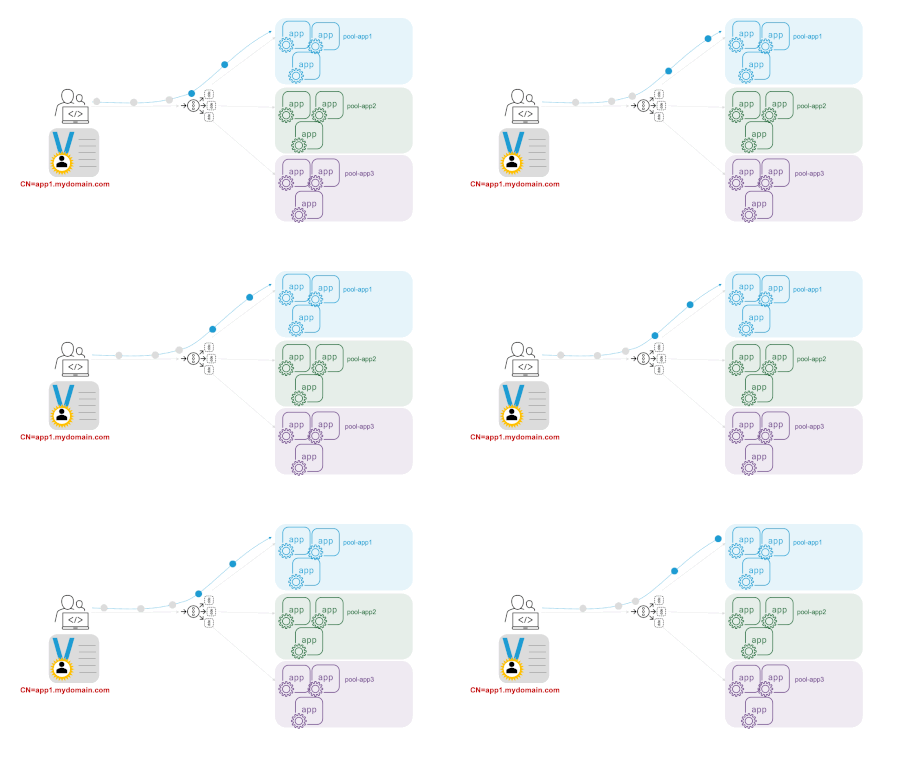
Is it possible to let the F5 XC provide different cerificate by path
Hi Everyone, The customer has an IoT server that provides different functions by path, and it's all HTTPS service. Only the path "/uisgw2/" needs to enable the mTLS during the SSL handshake. The other paths just provide a server cerificate without mTLS. I was wondering if is it possible to set up on F5 XC? Thanks in advanced DingSolved332Views1like3Comments
F5 Labs 2019 TLS Telemetry Report Summary
Encryption standards are constantly evolving, so it is important to stay up to date with best practices. The 2019 F5 Labs TLS Telemetry Summary Report by David Warburton with additional contributions from Remi Cohen and Debbie Walkowski expands the scope of our research to bring you deeper insights into how encryption on the web is constantly evolving. We look into which ciphers and SSL/TLS versions are being used to secure the Internet’s top websites and, for the first time, examine the use of digital certificates on the web and look at supporting protocols (such as DNS) and application layer headers. On average, almost 86% of all page loads over the web are now encrypted with HTTPS. This is a win for consumer privacy and security, but it’s also posing a problem for those scanning web traffic. In our research we found that 71% of phishing sites in July 2019 were using secure HTTPS connections with valid digital certificates. This means we have to stop training users to “look for the HTTPS at the start of the address” since attackers are using deceptive URLs to emulate secure connections for their phishing and malware sites. Read our report for details and recommendations on how to bolster your HTTPS connections.446Views1like0Comments
Get all certificates and their virtual servers and SSL profiles via API calls
Problem this snippet solves: Summary F5 will give you a decent report of all your certificates and their expiration dates. However I have not found a way to pull what Virtual Server or SSL Profile the certificates are applied to (or if they are used at all). What this code does is grabs all the virtual servers, all SSL profiles, and all certificates. Then it loops through them to find where a certificate is applied. Then it returns the certificate and virtual server info. I wrote this in C# but the logic can be used anywhere as the API calls are independent of language. How to use this snippet: You will need some way to compile C#. Easiest way is to use Visual Studio. Simply add your API credentials and IP addresses and run the code through a C# compiler. Code : https://github.com/matthewwedlow/F5_Scripts/blob/master/GetCerts.cs3.1KViews1like3Comments