Forum Discussion

 Cirrus
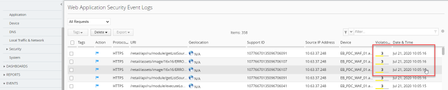
WAF Event Log on BIG-IQ not Real - Time
 Cirrus
Hi and
Thank you so much.
I have check on BIG-IQ. I see that:
In Configuration > Security > WAF >Virtual Server: I see that: Virtual Server applied Policy WAF inactive. But
Configuration >Local Traffic > Virtual Server : It's still with Active.
===> I think ===> No event log on BIG-IQ.

In Local Traffic > VIP:

plz help us
Thanks
Hung Hoang
 Ivan_ChernenkiiAug 27, 2020
Employee
Hello Hung,
It looks like your BIG-IP and BIG-IQ are out of sync - you have VS with policy and logging profile on BIG-IP, but not on BIG-IQ, that is why on BIG-IQ you don't see any logs anymore.
I suggest to create needed configuration on BIG-IQ and then deploy it to all appropriate BIG-IPs.
About inactive policy - you need to make it active.. Do you know how?
Thanks, Ivan
- Hoang_HungAug 27, 2020
Hi
I suggest to create needed configuration on BIG-IQ and then deploy it to all appropriate BIG-IPs. : I degree.
But. and now Virtual Server on WAF: inactive so we can not deploy from BIG-IQ to BIG-IP
(Note: On Virtual Server ( Local Traffic) BIG-IP and BIG-IQ still Activc (Previous picture)
Ivan: " About inactive policy - you need to make it active.. Do you know how? " At this time I not solution it yet"
Do you know how ?
Thanks
Hung Hoang
- Ivan_ChernenkiiAug 27, 2020
Hoang,
You have BIG-IP (may be several) and BIG-IQ, so it looks like pretty complex configuration and issue can appear in different places, that is why it is not quite easy to understand what was happened, why and how to resolve it.
To activate policy try to deploy it first and then attach to VS.
Thanks, Ivan
- Hoang_HungAug 28, 2020
Hi
"To activate policy try to deploy it first and then attach to VS."
We have try but it's still error.!
Thanks
Hung Hoang



Recent Discussions
Related Content
* Getting Started on DevCentral
* Community Guidelines
* Community Terms of Use / EULA
* Community Ranking Explained
* Community Resources
* Contact the DevCentral Team
* Update MFA on account.f5.com